Free Shopify Product Metafields Generator

    Extract clean Shopify metafields from messy product data so filters, feeds, search, and automations can rely on structured attributes. No sign up required.

    0 / 5000

    0 / 2400

    Include a validation note per field

    Add one short explanation so reviewers can assess why each metafield belongs in the schema.

    Add source product data before generating metafields.

    Your metafields will appear here ready to review, copy, and use as an import or schema draft.

    Maximum fields

    Language

    Shopify metafield examples by catalog category

    High-signal examples help teams define the schema before they run extraction in bulk.

    Apparel

    Example: Material, fit, and care fields

    Fashion catalogs usually need consistent fields for material, fit, sleeve length, and care instructions to support filters and product detail blocks.

    What to highlight

    • Use one shared material vocabulary across vendors.
    • Separate fit from size to keep filters cleaner.
    • Store care instructions in a text field when they vary by SKU.

    What to avoid

    • Mixing size values and fit values in one metafield.
    • Letting vendors define new material labels every season.
    • Saving care notes inside the description only.

    Example product brief

    Women's oversized linen shirt. 100% linen, long sleeve, relaxed fit, machine wash cold, button front, made in Portugal.

    Example generated description

    custom.material = 100% linen; custom.fit = relaxed; custom.sleeve_length = long sleeve; custom.care_instructions = machine wash cold; custom.origin_country = Portugal.


    Beauty

    Example: Ingredient and skin-type schema

    Beauty teams often need metafields that separate hero ingredients, usage instructions, concerns, and skin-type compatibility for search and merchandising.

    What to highlight

    • Store hero ingredients as a list when multiple ingredients matter.
    • Keep usage instructions separate from claims.
    • Use concern or skin-type fields to power collections and quizzes.

    What to avoid

    • Merging ingredients, benefits, and claims into one field.
    • Saving incompatible skin types as free text with no pattern.
    • Leaving usage instructions unstructured in long copy blocks.

    Example product brief

    Vitamin C serum with 15% L-ascorbic acid, ferulic acid, and hyaluronic acid. Brightens dull skin. Use in the morning after cleansing. Suitable for normal to dry skin.

    Example generated description

    custom.hero_ingredients = Vitamin C|Ferulic Acid|Hyaluronic Acid; custom.primary_concern = dullness; custom.usage_time = morning; custom.skin_type = normal to dry.

    Electronics

    Example: Compatibility and technical spec fields

    Electronics catalogs benefit from typed fields for wattage, connector type, compatibility, and dimensions because those attributes drive both search and returns.

    What to highlight

    • Use number fields for wattage, weight, and dimensions where possible.
    • Keep compatibility lists normalized across brands and models.
    • Separate connector type from charging standard or protocol.

    What to avoid

    • Saving dimensions as prose instead of a parsable value.
    • Using inconsistent model names in compatibility fields.
    • Mixing technical protocols and port formats in one metafield.

    Example product brief

    USB-C GaN wall charger, 65W output, dual port, compatible with MacBook Air, iPad Pro, and Samsung Galaxy S24. Size 58 x 41 x 31 mm.

    Example generated description

    custom.power_output_w = 65; custom.port_type = USB-C; custom.compatible_devices = MacBook Air|iPad Pro|Samsung Galaxy S24; custom.dimensions_mm = 58 x 41 x 31.

    Home decor

    Example: Dimensions, finish, and room use

    Home and furniture catalogs need dimensions, material finish, assembly notes, and room placement fields to support product comparison and filter logic.

    What to highlight

    • Keep width, height, and depth extractable from one source block.
    • Store finish or material tone in a controlled text value.
    • Use room-use fields for navigation and collection rules.

    What to avoid

    • Combining dimensions and assembly notes in the same field.
    • Saving room use only in marketing copy.
    • Using unstructured finish labels that change by vendor.

    Example product brief

    Oak veneer sideboard. Width 160 cm, depth 42 cm, height 78 cm. Matte walnut finish. Suitable for dining room or living room. Assembly required.

    Example generated description

    custom.width_cm = 160; custom.depth_cm = 42; custom.height_cm = 78; custom.finish = matte walnut; custom.room_use = dining room|living room; custom.assembly_required = true.

    What are Shopify product metafields?

    Shopify product metafields are structured custom data fields that store attributes not covered by the default product schema, such as material, dimensions, compatibility, or care instructions.

    • They help power filters, templates, feeds, and automations with typed product data.

    • Clear namespaces, keys, and data types make the catalog easier to maintain at scale.

    • Strong metafields are most valuable when the same rules apply across many products and vendors.

    E-commerce brands that already trust us

    Official logo of Balteus, a ButterflAI customer brand
    Official logo of Papira, a ButterflAI customer brand
    Official logo of Vinkova, a ButterflAI customer brand
    Official logo of Samo, a ButterflAI customer brand
    Official logo of Quelton, a ButterflAI customer brand
    Official logo of Masco beauty, a ButterflAI customer brand
    Official logo of Tostado, a ButterflAI customer brand

    Key features built for commerce teams

    Everything you need to standardize, scale and ship quality outputs.

    Attribute extraction from messy inputs

    Pull structured product data out of descriptions, bullets, spreadsheets, and vendor copy.

    Schema and type control

    Map output to the namespace, key, and data type your Shopify setup expects.

    Normalization for values and units

    Standardize formats like sizes, measurements, materials, and compatibility terms.

    Bulk-ready review workflow

    Validate a sample, adjust mappings, and prepare the output for large imports or API updates.

    How the Shopify product metafields generator works

    The workflow focuses on schema control first, then extraction and validation.

    1

    Collect raw product data

    Bring together titles, descriptions, bullet points, technical specs, and vendor fields. The richer the source data, the more complete the extracted metafields will be.

    2

    Map the output to your Shopify data model

    Define the namespace, key, data type, and expected values for each attribute so the generated output matches how your storefront, apps, and workflows consume custom data.

    3

    Review a sample before bulk import

    Validate a small set of products, fix ambiguous mappings, and then scale the extraction across the rest of the catalog with better confidence.

    Popular use cases

    Where Shopify teams use generated metafields to keep catalog data structured and usable.

    Storefront filters

    Backfill attributes that power navigation and Search

    Extract clean values for size, material, fit, color, or compatibility so search and filtering logic can depend on consistent product data.

    Bulk imports

    Prepare large metafield updates with lower risk

    Convert messy supplier data into import-ready fields before running bulk updates through Shopify admin or API flows.

    Feeds

    Improve marketplace and channel data quality

    Use structured custom data to enrich product feeds, reduce missing attributes, and keep downstream mappings cleaner.

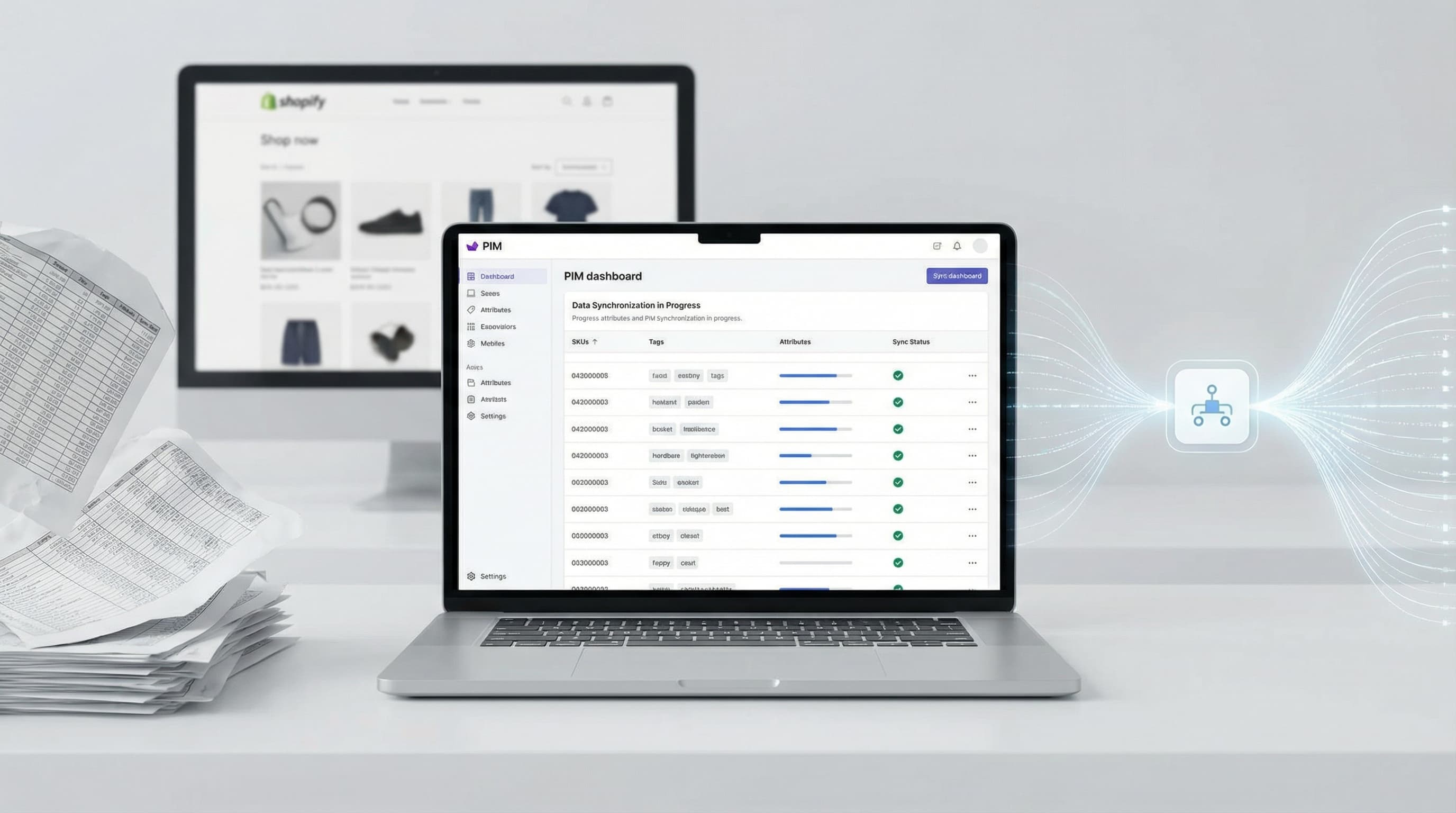
    PIM cleanup

    Normalize vendor schemas into one catalog standard

    Map inconsistent supplier fields into a controlled set of metafields so reporting, automation, and merchandising run on the same structure.

    Agencies

    Onboard client catalogs faster

    Generate metafields for migrations, store rebuilds, or cleanup projects without weeks of manual attribute mapping.

    Merchandising

    Support collection rules and product reporting

    Typed attributes make it easier to automate collections, build merchandising logic, and analyze performance by product characteristics.

    Common issues and fixes

    FAQs

    Quick answers to common questions.

    Ready to upgrade your catalog workflow?

    Free trial