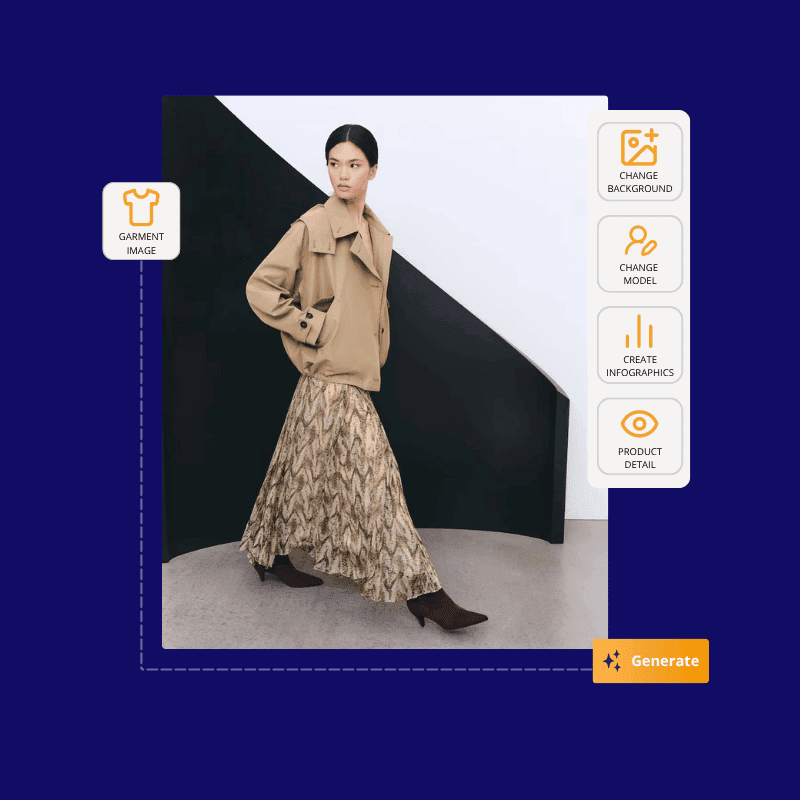
Product images optimized by AI

    Remove backgrounds, upscale resolution, and deliver consistent visuals for every SKU.

    ButterflAI product images optimized by AI
    Free Trial

    E-commerce brands that already trust us

    Official logo of Balteus, a ButterflAI customer brand
    Official logo of Papira, a ButterflAI customer brand
    Official logo of Vinkova, a ButterflAI customer brand
    Official logo of Samo, a ButterflAI customer brand
    Official logo of Quelton, a ButterflAI customer brand
    Official logo of Masco beauty, a ButterflAI customer brand
    Official logo of Tostado, a ButterflAI customer brand

    How image optimization works

    A clean workflow to upload, enhance, and publish visuals in bulk.

    Step 1

    Upload your assets

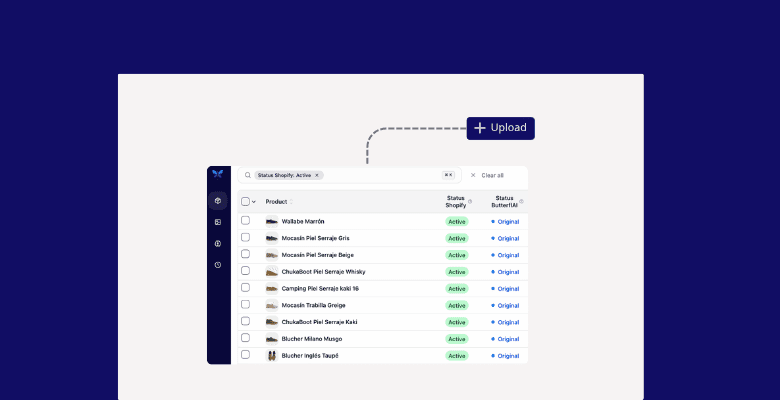
    Upload product image assets from Shopify, a folder, or your library. Keep originals organized by product and variant so you can generate, edit, and export consistent sets without losing context.

    Step 2

    Edit or generate

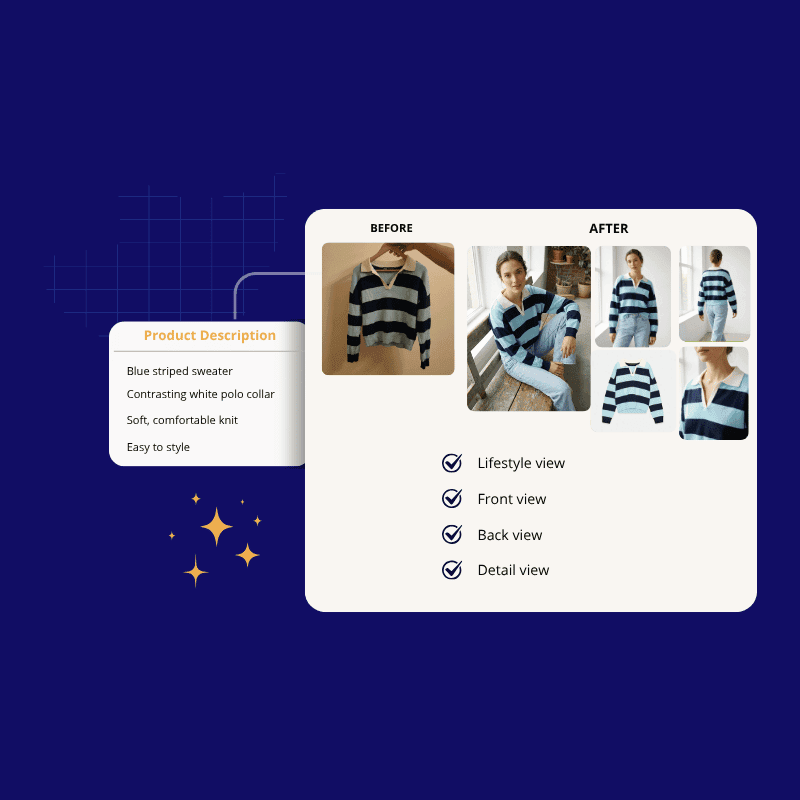
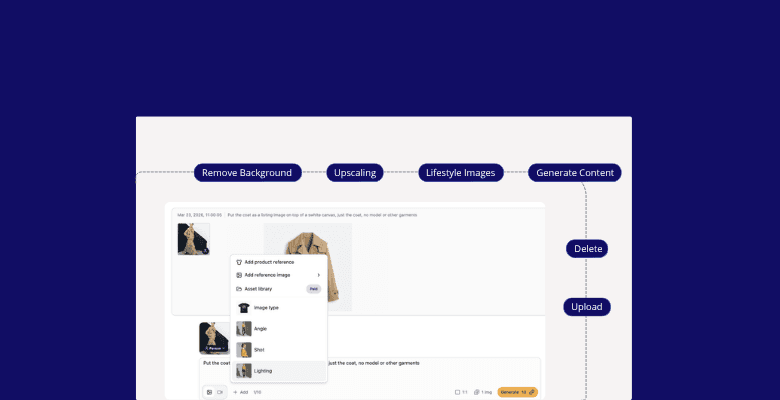
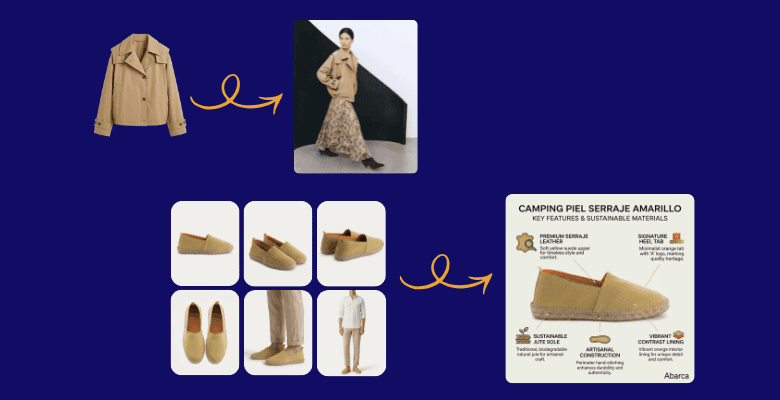
    Edit existing photos or generate new visuals in seconds: remove backgrounds, upscale, add clean shadows, or create on-brand infographics and feature callouts for PDP, ads, and marketplaces.

    Step 3

    Refine & publish

    Review the full image set, keep only the best outputs, and export in the right formats and sizes. Publish back to Shopify or download in bulk so every channel stays visually consistent.

    Custom styles for your brand

    ButterflAI applies the same lighting, framing, and background rules across your catalog so every product looks premium.

    Image workflows built for scale

    • Batch background removal and color cleanup
    • Resolution upgrades for ads, marketplaces, and PDPs
    • Ready-to-publish exports in the formats you need
    Consistent product visuals

    Create product scenes that convert

    ButterflAI turns any product photo into clean, consistent scenes for PDPs, ads, and marketplaces, without losing details or sharp edges.

    Scene workflows built for scale

    • Swap backgrounds to pure white, transparent, or lifestyle scenes in one click
    • Keep shadows, textures, and edges crisp with automatic cleanup
    • Export ready-to-publish sets in the sizes and formats you need
    AI background replacement

    Change backgrounds

    ButterflAI generates on-brand lifestyle backgrounds from a single product shot, keeping the product consistent while creating multiple scene options for every channel.

    Background workflows built for scale

    • Create several lifestyle scenes from one photo in seconds
    • Keep proportions, lighting, and edges consistent across outputs
    • Export ready-to-publish sets for Shopify, ads, and marketplaces
    Upscaled product imagery

    Create product infographics

    Flag low-resolution assets, compare before/after, and export clean packs.

    Infographic workflows built for scale

    • Generate benefit callouts, icons, and feature highlights automatically
    • Apply the same templates and typography across your full catalog
    • Export ready-to-publish packs for PDPs, ads, and marketplaces
    Image QA and exports

    Key features for image teams

    Automated cleanup rules

    Normalize shadows, background color, and crop ratios.

    Centralized asset library

    Store approved images with tags and version history.

    Channel-ready exports

    Push marketplace formats or download optimized packs.

    Approval workflows

    Review AI edits and publish only what is approved.

    Customer story

    We standardized thousands of product photos in days instead of weeks.
    Aina Costa · Balteus
    Read the Balteus case study
    Balteus logo

    Product image FAQs

    Common questions about AI-powered image enhancement.

    Can ButterflAI remove backgrounds in bulk?
    Yes. You can queue whole collections or the entire catalog, apply a consistent background rule (white, transparent, or brand color), and process thousands of images while preserving edges, shadows, and fine detail for review before publishing.
    Do you upscale low-resolution images?
    Yes. We enhance low-res assets with AI upscaling, reduce artifacts, and restore detail so images meet marketplace requirements. Set target sizes, keep aspect ratios, and export multiple resolutions for PDP, ads, and feeds.
    Can I keep the original image?
    Absolutely. Originals remain untouched in your asset library with full version history. Compare before/after, approve only the variants you want, and revert or download originals anytime without losing SKU links.
    Does it work for apparel and accessories?
    Yes. The models handle apparel, footwear, accessories, beauty, home, and more. Define category-specific rules for backgrounds, shadows, and cropping so different product types stay consistent across the catalog.
    Can I apply a consistent background color?
    Yes. Define a brand color or transparent output and apply it across selected products or entire collections. The system maintains clean edges and natural shadows so final images look uniform on PDPs and marketplaces.
    How fast is processing?
    Processing is optimized for bulk runs. Batches of hundreds to thousands of images typically complete in minutes, depending on resolution and edits like background removal, upscale, and shadows. Jobs run in the background.
    Do you support lifestyle images?
    Yes. Generate lifestyle scenes from studio shots or swap backgrounds with on-brand environments. Keep product lighting consistent, choose multiple scene options per SKU, and export sets tailored to ads, PDPs, and social placements.
    Is there a review step?
    Yes. Every batch goes through a review queue where your team can approve, reject, or re-run specific images. Lock approved versions, add notes, and publish only what matches your quality and brand guidelines.
    What formats are supported?
    We support JPG, PNG, and WebP for input and output, including transparent backgrounds. Set size presets, compression levels, and naming conventions so exports match your marketplace or PIM requirements.
    Can I export the results?
    Yes. Export to CSV-linked folders, download zipped batches, or publish directly back to Shopify. Choose approved variants only, keep consistent file names, and include multiple sizes per SKU for different channels.

    Ready for a cleaner catalog?

    Upgrade every SKU image without slowing down your team.

    35%
    Higher conversions
    70%
    Less production time
    100+
    Images per minute