How to Sync Products in Shopify in Bulk with AI

    Optimize how you sync products in Shopify with AI. Automate descriptions, SEO, and attributes to scale your eCommerce without manual CSV errors.

    Start free trial
    How to Sync Products in Shopify in Bulk with AI

    Discover how to sync products in Shopify efficiently and scalably. Forget manual CSV errors and use ButterflAI’s agentic AI to automate the upload, optimization, and updating of your catalog directly within the Shopify admin.

    The Challenge of Manual Synchronization in Shopify

    Managing a growing catalog is not just about adding new items; it is a constant challenge of maintenance, brand consistency, and relevance for search engines. To sync products in Shopify effectively in bulk requires an approach that goes beyond simply moving data from a spreadsheet to the store database. At ButterflAI, we understand that synchronization is the critical moment where content quality meets operational efficiency. It is not just about the product "appearing" in the Shopify admin, but appearing optimized, with the correct attributes, and ready to convert.

    Many merchants find themselves trapped in "CSV hell." Attempting to sync products in Shopify by constantly exporting and importing files generates conflicting versions of the truth. One day, a team member updates a price in the Shopify admin; the next day, another uploads an old CSV that overwrites that change. Furthermore, Shopify does not natively offer a way to "enhance" content during synchronization. If your source data is poor (short descriptions, titles without keywords), the sync will simply replicate that poverty in your store.

    The scale problem worsens when handling thousands of SKUs. Manual validation of every field, from tags to metafields, is impossible. This leads to inconsistency: some products have detailed attributes while others are practically empty. For Heads of Digital and Innovation, this represents a brand risk and a direct loss of revenue due to poor SEO. Shopify is a powerful platform, but its native bulk management interface has clear limits when the goal is high-quality optimization at scale.

    Intelligent Synchronization Powered by Agentic AI

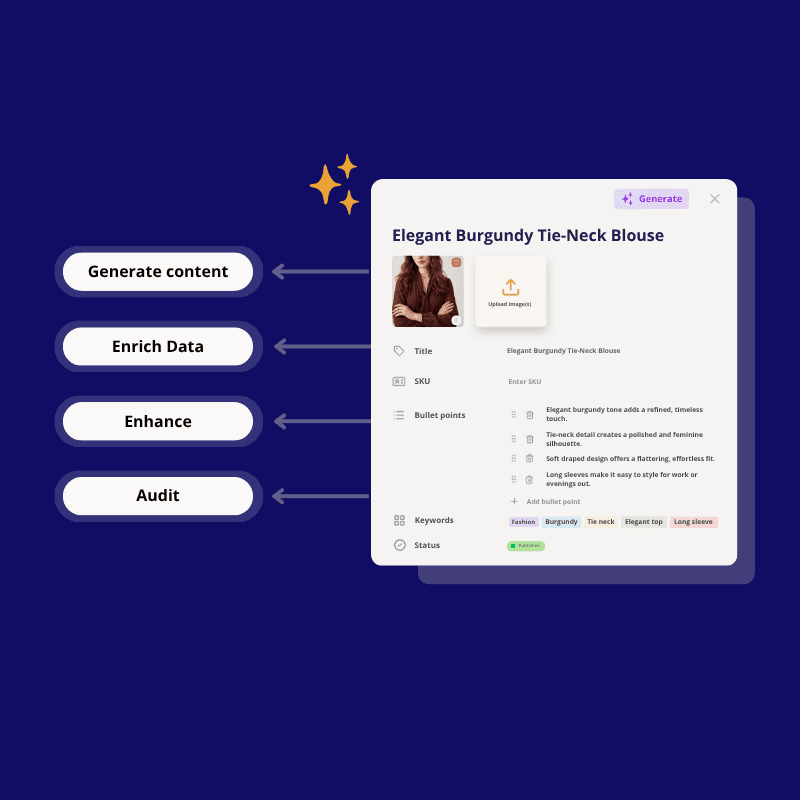
    ButterflAI positions itself as the intelligent bridge between your data sources and your Shopify store. Our solution enables you to sync products in Shopify not just by moving data, but by processing it through AI agents specialized in eCommerce. Instead of a "blind" transfer of information, ButterflAI analyzes every attribute, optimizes language for SEO, and ensures that every field meets your brand's quality standards before reaching the Shopify admin.

    This automation allows marketing and operations teams to focus on strategy rather than data cleaning. By connecting ButterflAI directly to your store via our public app, you create an ecosystem where synchronization is fluid and bidirectional. You can enrich descriptions, generate automatic tags based on images, and map complex metafields without touching a single line of code or opening Excel a thousand times. It is the definitive step toward agentic commerce, where AI proactively manages the health of your catalog.

    By centralizing content logic outside the limitations of spreadsheet cells, ButterflAI guarantees that every update is an improvement. Synchronization becomes a marketing tool, not just a technical process. Every time you sync, your store becomes smarter, more descriptive, and more visible to your potential customers.

    Steps to Automate Your Product Synchronization

    Syncing your products in bulk with ButterflAI is a structured process designed for data security and quality.

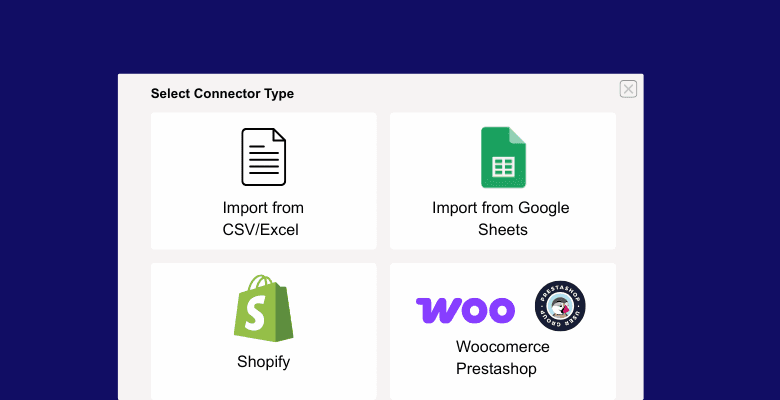
    1. Shopify App Connection: The first step is to install the ButterflAI application from the Shopify App Store. This establishes a secure API connection that allows for the smooth reading and writing of products, variants, and metafields.
    2. Source Data Import: You can connect your current Shopify catalog to enhance it or upload a CSV file with base product information (SKU, basic titles, supplier descriptions) that will serve as the seed for the AI.
    3. Attribute Mapping Configuration: Define which columns from your source correspond to which fields in Shopify. This is where we configure the data "schema," including custom metafields that ButterflAI will automatically optimize.
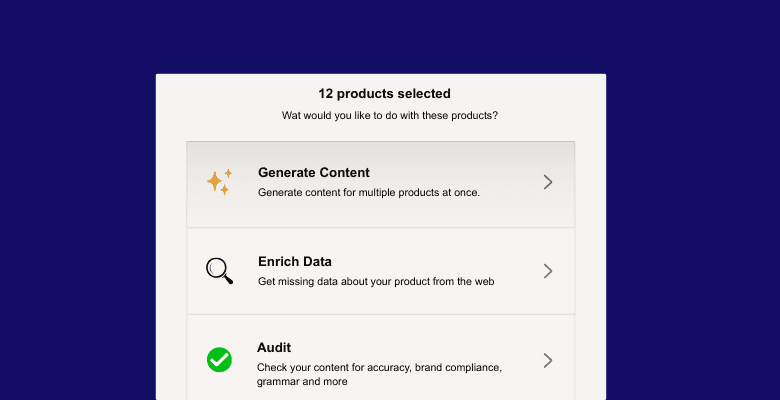
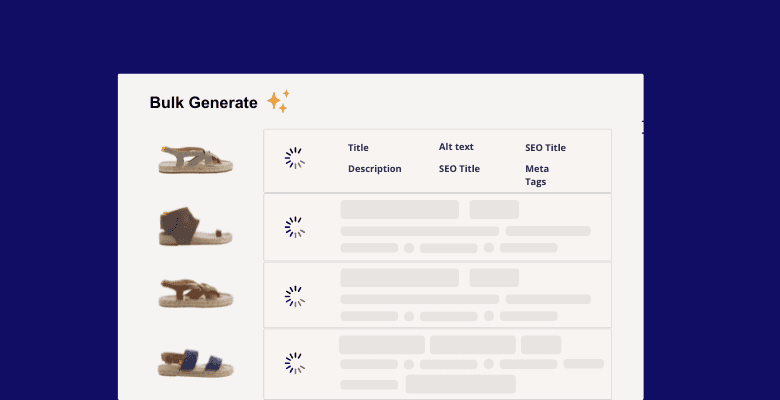
    4. Execution of AI Workflows: Before the final sync, ButterflAI's AI agents process the catalog. They improve titles for SEO, expand boring descriptions into persuasive text, and generate missing technical attributes based on product analysis.
    5. Review and Bulk Sync: Once the AI has done its job, you can review changes in bulk within our interface. With a single click, ButterflAI syncs all updated products with your Shopify admin panel, reflecting changes in a controlled manner.

    Content Transformation During Synchronization

    Below, we show how a typical product changes when using intelligent synchronization instead of a basic supplier data load.

    BeforeAfter

    Title

    Org. Cotton T-Shirt White Mod. 45

    Title

    Men's White Organic Cotton T-Shirt - Sustainable Crew Neck

    Description

    100% organic cotton t-shirt. White color. Round neck. Available in various sizes.

    Description

    Elevate your basic wardrobe with our 100% certified organic cotton t-shirt. Designed with a modern cut and reinforced crew neck, this essential white garment offers superior softness and durability. Ideal for a sustainable casual look or as a base layer under a blazer. Breathable and environmentally friendly.

    Tags

    Clothing, T-Shirt

    Tags

    Sustainable Fashion, Premium Basics, Organic Cotton, Men's White T-Shirt, Eco-friendly Clothing

    Metafields

    (Material and fit fields empty)

    Metafields

    Material: 100% Cotton; Weight: 180g; Fit: Regular; Certification: GOTS

    SEO Meta Description

    Buy Org. Cotton T-Shirt White Mod. 45 in our online store.

    SEO Meta Description

    Discover the perfect white organic cotton t-shirt. Sustainable style, comfortable fit, and premium quality. Get this essential basic today!

    Practical Considerations and Limitations

    It is important to understand that ButterflAI is not a traditional PIM (Product Information Management) nor a logistics management tool. Our platform is optimized for content improvement and SEO synchronization. We do not recommend using ButterflAI as the master system for real-time inventory management if you have thousands of transactions per second affecting physical warehouse stock; for that, Shopify or a specialized ERP are better options.

    Likewise, bulk synchronization depends on the quality of the API connection and Shopify's rate limits. Although our tool manages these queues efficiently, massive changes in catalogs of hundreds of thousands of SKUs may take time to fully reflect. Finally, AI is a powerful aid, but in extremely technical or legally regulated niches (such as pharmacy or specific supplements), final human supervision is always recommended to ensure strict regulatory compliance. Automation helps to scale, but the final responsibility for compliance remains with the merchant.

    Use Cases for High-Performance eCommerce

    Bulk product synchronization is vital in various business scenarios facing modern eCommerce:

    • Platform Migration: If you are moving to Shopify from another platform, ButterflAI cleans and optimizes your old data during the synchronization process, preventing you from "inheriting" content errors or obsolete descriptions.
    • Seasonal Launches: When a fashion brand launches 500 new references at once, our AI can generate all necessary SEO content and attributes in minutes, allowing the collection to be online much faster than with manual editing.
    • International Expansion: Syncing products across different markets requires adapting tone and attributes. ButterflAI facilitates this intelligent replication of data between different Shopify stores while maintaining consistency.
    • Mass Rebranding: If you decide to change your brand voice, you can re-sync your entire catalog so that all descriptions reflect the new identity consistently, without having to edit product by product.
    • Metafield Optimization: For stores using advanced filters based on metafields, ButterflAI can extract information from existing descriptions and fill these technical fields automatically during synchronization, improving user navigation.

    Checklist for a Successful Sync

    Verify that all SKUs are unique and consistent in the source data.

    Ensure images are in the proper format before starting bulk synchronization.

    Correctly map product types and vendors to keep the Shopify admin organized.

    Review that necessary metafields for the store theme are defined in the configuration.

    Configure SEO rules (titles and meta-descriptions) in ButterflAI's AI agents.

    Validate variants (size, color) to avoid unnecessary duplicates in the synchronized catalog.

    Check that tags follow a logical structure for navigation and automatic collections.

    Perform a synchronization test with a small group of products (10-20) before processing thousands.

    Monitor the synchronization status in the dashboard to detect possible API errors.

    Always keep a backup of original data in CSV format for security.

    FAQs

    Quick answers to common questions.

    Related guides

    Learn more about Shopify visual performance

    Keep exploring the best ways to optimize Shopify catalogs with guides that match this topic.

    How to Sync Collections in Shopify Automatically

    How to Sync Collections in Shopify Automatically

    Learn how to sync collections in Shopify to optimize categories. Automate descriptions, SEO, and attributes to scale your online store with AI.

    How to Bulk Edit Products in Shopify with Artificial Intelligence

    How to Bulk Edit Products in Shopify with Artificial Intelligence

    Learn how to bulk edit products in Shopify with AI. Optimize titles, descriptions, and SEO for thousands of products automatically with ButterflAI.

    How to Bulk Edit Collections in Shopify with AI

    How to Bulk Edit Collections in Shopify with AI

    Learn how to bulk edit collections in Shopify to scale your SEO and content. Automate descriptions, titles, and metadata efficiently with ButterflAI.