
eCommerce SEO
Canonical Tags in Shopify: How to Set Them Up to Avoid Duplicate URLs
Master Shopify's URL architecture, fix Search Console errors, and protect your product SEO with our technical and operational guide.
Feb 1, 2026
Read More
Learn how to migrate to Shopify while protecting your SEO. Technical guide on 301 redirects, data mapping, and AI-powered catalog optimization for eCommerce.
Migrating an online store to a new ecosystem creates immense operational friction, where the fear of falling Google rankings often paralyzes decision-making. The process of migrating to Shopify isn't just a transfer of files and databases, but a complete semantic restructuring that can redefine your business's success.
If the migration isn't executed with technical precision, the impact is immediate: loss of domain authority, broken links that frustrate users, and a drastic drop in organic sales that can take months to recover. Today you will learn to design a bulletproof migration plan using technical SEO methodologies and AI automation to ensure your catalog not only maintains its traffic but scales from day one.
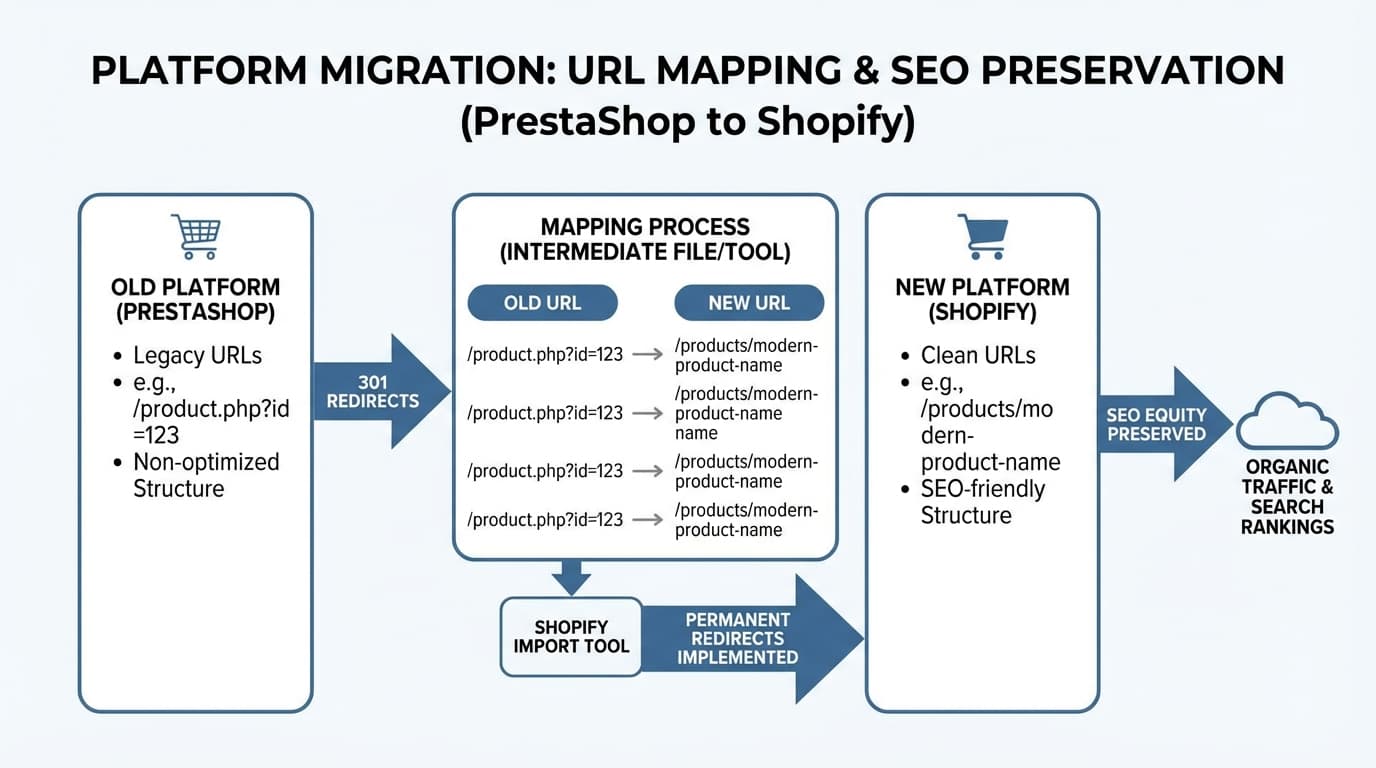
Before moving a single product, it is essential to understand what is being transferred. Shopify imposes a rigid URL structure (for example, /products/ and /collections/), which means your old URLs will almost certainly change. According to industry sources, replatforming strategies should focus on informing search engines about each asset's new location to minimize impact.
You must crawl your current site to obtain a complete list of all indexed URLs. Don't limit yourself to products; include categories, blog posts, and legal pages.
Shopify uses Metafields to manage additional data that doesn't fit standard fields. It's time to decide which technical attributes (EAN, material, specific sizes) will be migrated and how they will affect SEO.
Mapping Example:
mydomain.com/clothing-category/blue-t-shirt.htmlmydomain.com/products/blue-t-shirtTypical Error: Forgetting images. If you change image paths without redirecting them or maintaining the optimized filename, you will lose traffic from Google Images.
Once the map is designed, the loading phase begins. This is where the most costly errors of migrating to Shopify are made. The platform allows importing via CSV, but for complex catalogs, using the API or specialized tools is preferable to maintain data integrity.
For a successful migration, each product must meet these minimum requirements in the new environment:
301 redirects are the bridge that transfers authority from an old URL to the new one. Shopify manages this in the "Navigation > URL Redirects" section. However, uploading thousands of redirects manually is unfeasible.
Old Path and New Path./p/ID-name), use scripts to automate the relationship.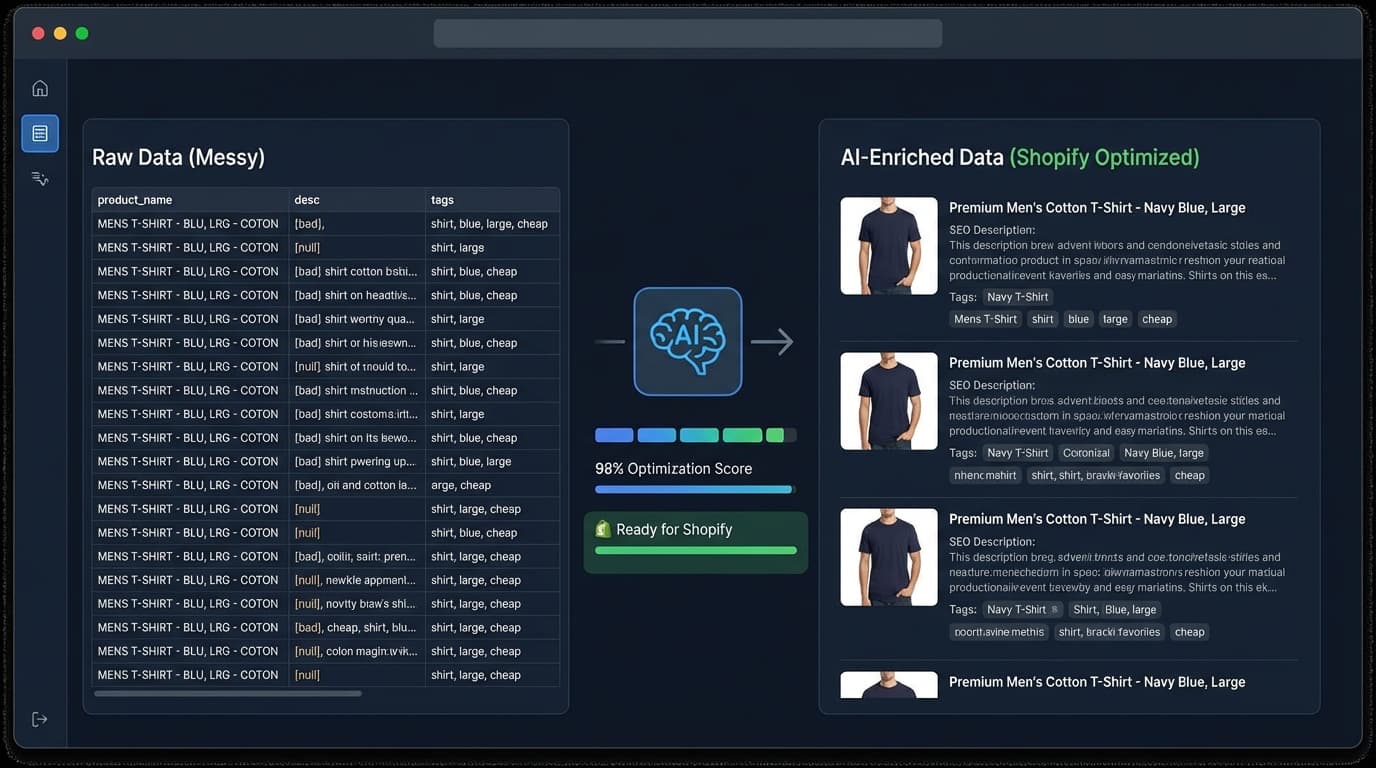
After the "Go-live," the SEO work doesn't end; in fact, that's when the recovery and growth phase begins. It's vital to monitor errors and leverage Shopify's flexibility to improve what was previously static. According to eCommerce automation studies, using AI workflows drastically reduces maintenance errors and improves search engine visibility.
In the first 48 hours, perform the following actions:
sitemap.xml file to Google Search Console.Migration is the perfect opportunity to clean up the catalog. If your old descriptions were thin or duplicated, AI can help rewrite them at scale while maintaining brand tone and keywords.
Step-by-step to optimize with AI tomorrow:
Text Improvement Example:
Typical Error: Blindly trusting AI without human oversight. There should always be a QA (Quality Assurance) process to avoid hallucinations in technical data such as materials or compatibilities.
At ButterflAI, we help automate your catalog optimization during and after migration, ensuring that every title and description meets SEO quality standards. Our technology allows processing thousands of SKUs in minutes, eliminating manual work and guaranteeing a smooth transition to Shopify.
Go deeper with guides and tools connected to this topic.
Quick answers to common questions.