Technical SEO for Shopify is the foundation upon which any online store's growth is built. Although Shopify offers a solid and secure infrastructure, its rigidity in URL structure and the automatic generation of collection and tag pages often create duplicate content issues that can dilute the authority of your main product pages. For an eCommerce Manager or an SEO Lead, understanding how to navigate these limitations is the difference between a stagnant catalog and one that scales organically.
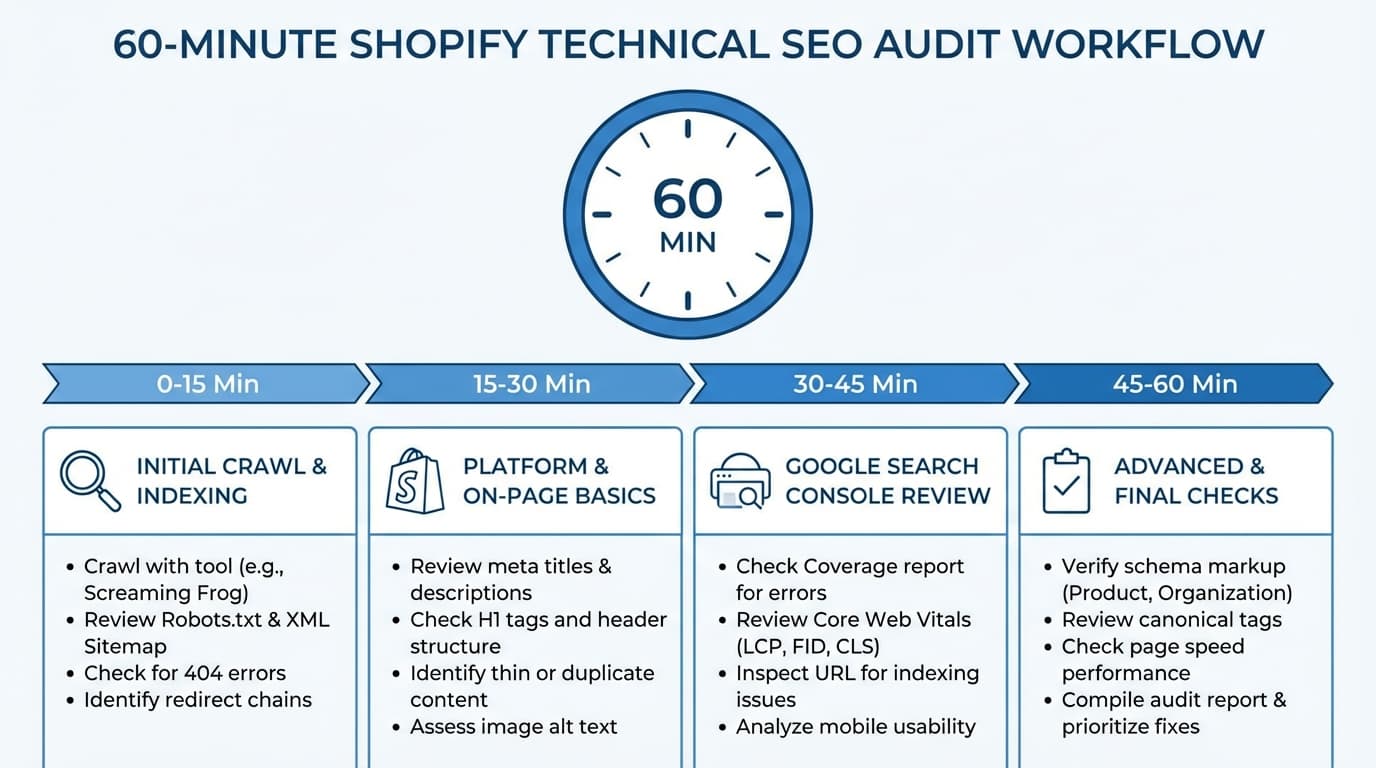
Audit Preparation and P0/P1/P2 Scoring System
Shopify's architecture is designed for ease of use, but this simplicity comes at a technical cost that must be monitored. The platform generates redundant URLs for products when they are accessed through collections, requiring strict management of canonicals (code snippets that tell search engines which is the master version of a page) to prevent Google from indexing duplicate versions of the same product sheet.
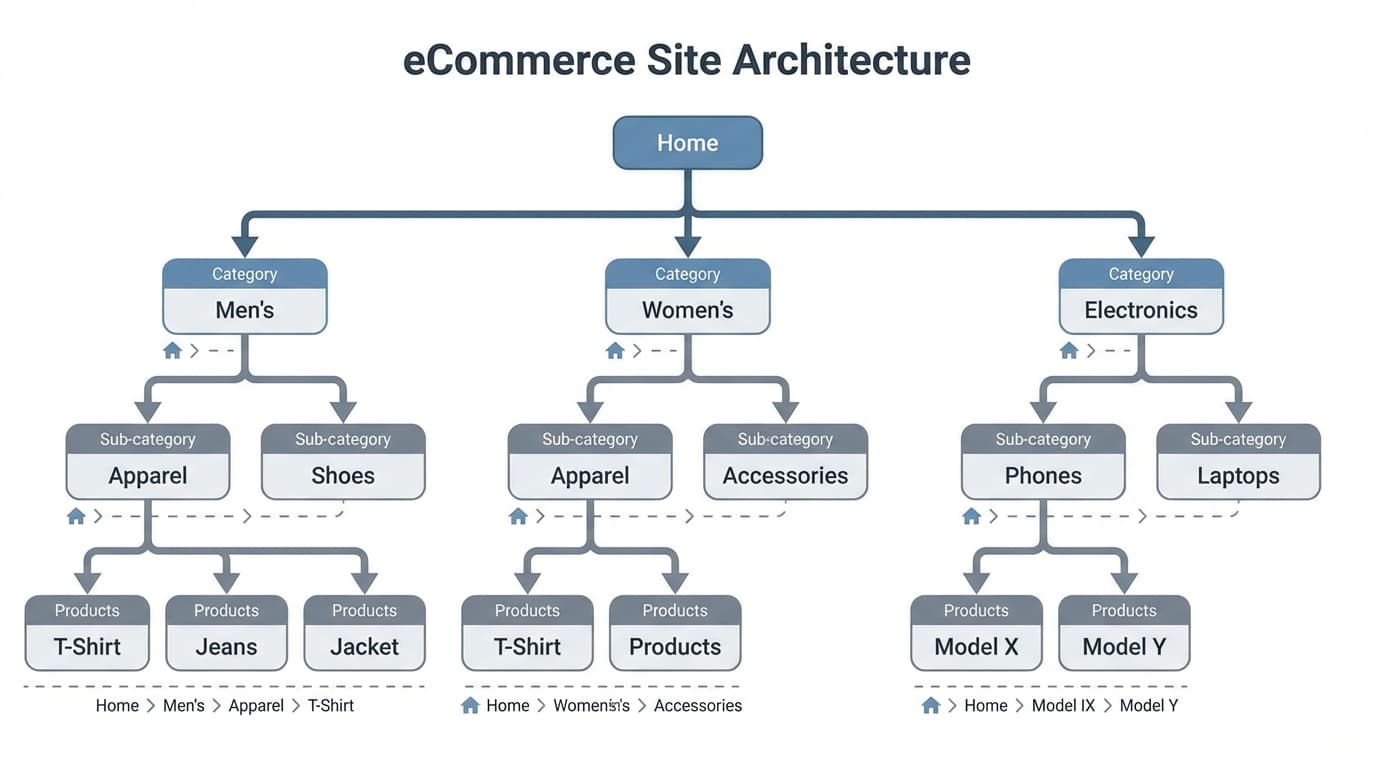
To address this, teams must audit how the theme handles breadcrumbs and internal links. An effective Shopify SEO Checklist begins by validating whether the internal search engine and facet filters are unnecessarily consuming crawl resources—vital for large catalogs. For example, a store with 500 products can end up with thousands of indexable URLs if every combination of size and color generates a unique entry without a clear indexation control strategy.
Before starting the 60-minute check, it is essential to have reliable data. Google Search Console (GSC) is the definitive source of truth for understanding which parts of your catalog are being ignored or penalized. The process requires cross-referencing GSC data with an external crawl performed with tools like Screaming Frog or Sitebulb.
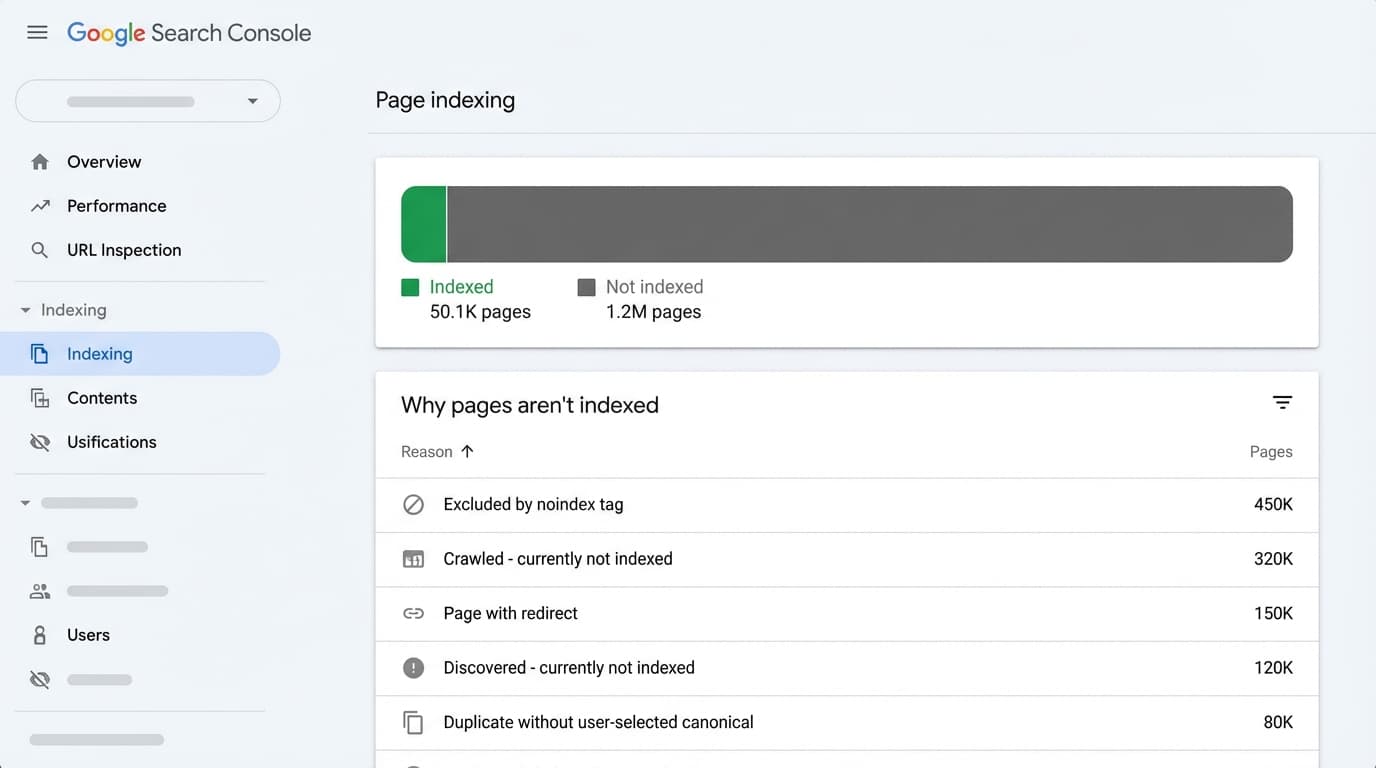
This allows for the detection of discrepancies between the URLs Shopify generates in the sitemap and those Google actually processes. You can consult the Google SEO Starter Guide to understand the basic principles of indexation. A typical error is conducting a technical audit by blindly trusting third-party tools without verifying real organic traffic data in Search Console.
The Prioritization System for eCommerce Teams
Managing a dynamic catalog requires a pragmatic approach based on the return on investment of the technical team's time. Not all issues carry the same weight. We approach the audit by dividing tasks into three levels:
- P0 (Critical): Indexing blocks or errors that directly impact sales (e.g., 404 errors on top products, total block in robots.txt).
- P1 (Important): Issues affecting ranking in the medium term (e.g., lack of structured data, duplicate content due to parameters).
- P2 (Improvement): Maintenance optimization (e.g., improving alt texts or cleaning up old redirects).
Technical Checklist: Robots.txt, Sitemap, and Indexation
Crawling is the first step in the visibility funnel. If the bot cannot access your product URLs, the rest of the optimizations are worthless. In Shopify, while the infrastructure is robust, the default configuration often generates inefficiencies in stores with large catalogs.
Robots.txt and Crawl Budget Control
This file acts as your store's gatekeeper. It tells crawlers which areas to ignore so as not to waste Crawl Budget (the limit of time and resources Google devotes to crawling your site). To optimize it, you must edit the robots.txt.liquid file in the Shopify theme editor.
A priority adjustment is to block internal search pages and collection filters that generate infinite URL combinations. According to the official Shopify documentation, it is vital not to block CSS or JS files, as Google needs to render the page to evaluate it.
Rule Example: Disallow: /collections/*+* (useful for blocking combined tags that have no SEO value).
The Sitemap.xml: Your Roadmap
Shopify automatically generates a sitemap index at /sitemap.xml. This file is a guide for Google to discover new content quickly. Although automatic, its maintenance involves ensuring it only contains canonical URLs with a 200 status code. If a page has a noindex tag, Shopify will remove it from the sitemap after a short period, but manual verification is fundamental.
Google recommends that these files do not exceed 50,000 URLs per individual file, a limit Shopify manages by dividing the index into sub-sitemaps for products, collections, and pages. A typical error is submitting the sitemap to Search Console and not looking at the error report for months, ignoring URLs of old products that no longer exist.
The Duplicate Content Problem and the Liquid Fix
In the Shopify ecosystem, duplicate content is not an anomaly but a native feature of the routing system. By default, Shopify generates multiple URLs for the same product based on the collection from which it is accessed. For example, a running shoe can live at:
/products/running-shoe (Root or canonical path)/collections/sales/products/running-shoe (Collection path)
For Google, these are two distinct pages with identical content. If not managed correctly, this dilutes the page's authority and causes the search engine to waste resources. The collection URL structure is the main cause of internal duplication. Although modern themes include automatic canonical tags, the problem lies in internal linking: if your menu points to the collection version, Google will continue to crawl thousands of unnecessary URLs.
Definitive Solution: Liquid Code Modification
The solution is to modify the Liquid files (Shopify's templating language) of your theme to force all links to point to the root path /products/handle.
You must locate the | within: collection filter in your code (usually in the product-card.liquid snippet or the main-collection.liquid section) and remove it.
- Before:
{{ product.url | within: collection }}
- After:
{{ product.url }}
By making this change, you centralize all internal linking strength into a single URL, which is vital for organic growth. Another focus of duplication is product variants (size, color) that generate parameters like ?variant=123456. It is critical to ensure that the theme.liquid file includes robust canonicalization logic that always points to the base product URL regardless of the selected variant.
Information architecture determines how Google understands your business hierarchy. A common mistake in Shopify is allowing faceted navigation (filters for size, color, brand) to create thousands of URLs with parameters that add no value.
Facet Control (P0 Priority)
Managing filters is critical to avoid diluting domain authority. In Shopify, each filter selection can generate a unique URL. If there are no rules, Google indexes thousands of variations that compete with each other. It is fundamental that filtering URLs include a canonical tag pointing to the main collection, unless the combination has a search volume that justifies a dedicated page (for example, "Red Sneakers" if it is a common search).
Example: A URL like /collections/shirts?filter.color=Red should point its canonical to /collections/shirts.
Internal Linking and Breadcrumbs (P1 Priority)
A logical flow reduces click depth and facilitates product discovery. Breadcrumbs help engines understand the catalog hierarchy. It is vital to implement them using the Schema.org BreadcrumbList standard (a structured data format) to improve visibility in SERPs (Search Engine Results Pages). This helps transfer authority from categories to individual products in a balanced way.
Web performance and data semantics constitute the final pillars of solid technical SEO. It is not enough for Google to index the page; the user must navigate in an agile environment, and engines must accurately interpret the commercial offer.
Core Web Vitals Audit (P1)
Performance directly impacts the crawl budget and conversion rate. The main challenge in Shopify is render-blocking caused by third-party application scripts (chats, reviews, upsells). It is essential to monitor the Largest Contentful Paint (LCP), which measures the loading time of the main element on the page. It is recommended that this value be less than 2.5 seconds.
It is imperative to audit installed applications and ensure they load asynchronously. Tools like Web Vitals allow for diagnosing these bottlenecks. A typical error is keeping calls to JavaScript files from applications that have already been uninstalled from the admin panel.
Schema.org Implementation for Rich Results (P0)
Structured data in JSON-LD format allows products to stand out in Google with review stars, prices, and real-time availability. This system is vital for improving CTR (Click-Through Rate). You must validate that your theme includes the Product object with all its mandatory properties: name, images, price, currency, and inventory status.
If you use external apps to manage ratings, it is vital to confirm that the AggregateRating is correctly nested within the product schema to avoid warnings in Search Console. You can validate this with Google's Rich Results Test tool.
To execute efficient remediation, we classify findings by impact. P0 issues require immediate attention as they block total visibility. For example, accidental noindex tags in the theme.liquid file or 404 errors on products that generate 80% of your sales.
Execution: Liquid vs. Applications
Differentiating where to make changes is vital for technical stability.
- Liquid Changes: Ideal for canonical tag logic, microdata insertion, and dynamic meta robots tag control. Doing it in the code avoids the latency introduced by applications.
- App Configurations: Useful for bulk redirects or automatic redirect management when a product slug is changed.
A practical example: if you detect duplicates due to variants, it is preferable to adjust the product.url object in Liquid to force the canonical URL of the base product. Installing an SEO app for every small adjustment usually degrades loading speed (Core Web Vitals).
Maintenance in Bulk Uploads (CSV and PIM)
When scaling the catalog using CSV files or a PIM (Product Information Manager), SEO is often the first casualty. To avoid this:
- Use of Metafields: Utilize Shopify Metafields (additional data fields) to control specific SEO titles and meta descriptions that do not come by default in the standard CSV.
- Slug Validation: Ensure that handles (the final part of the URL) are descriptive and do not contain strange characters.
When uploading thousands of references, the most common mistake is forgetting that Shopify automatically generates redirects if existing handles are modified. This can saturate the redirect limit if not managed carefully according to official Shopify guides.
Scale Your Technical SEO Without Manual Errors
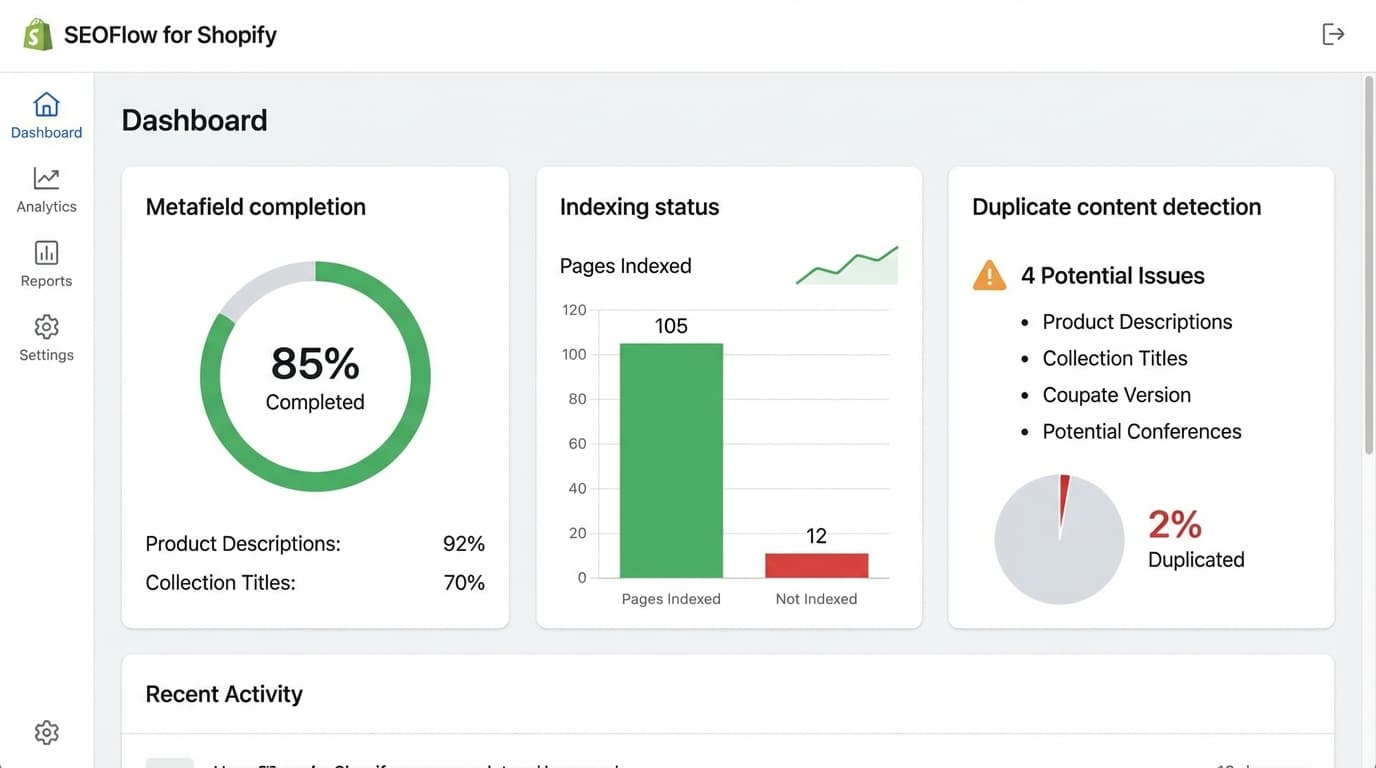
Maintaining technical hygiene and canonical consistency in catalogs of thousands of products is an immense operational challenge. ButterflAI helps eCommerce teams automate listing optimization and technical SEO content generation, ensuring that every uploaded product meets the indexing and quality standards needed to rank from day one.## Sources