
Ecommerce SEO
SEO for Product Descriptions: The 2026 eCommerce Growth Guide
Learn how to write SEO product descriptions that rank on Google and convert. From keyword research to AI automation and structured data strategies.
Mar 20, 2026
Read More
Learn how to manage discontinued products to avoid Soft 404 errors and maintain your authority with strategic 301 redirects.
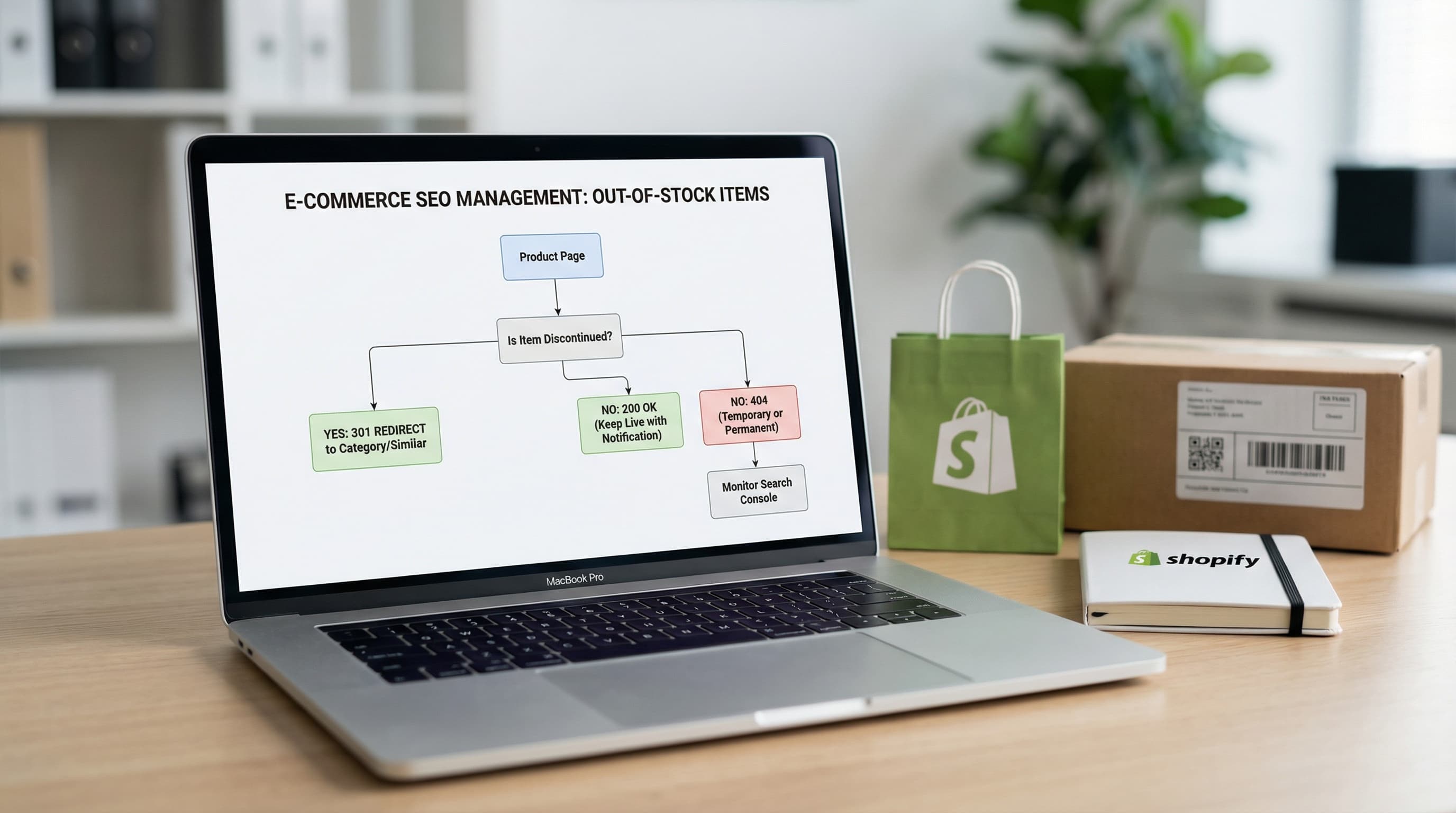
Managing out-of-stock products is a strategic decision for catalog SEO because it directly affects user experience and how search engines evaluate a URL's utility. Whether you keep the page with zero stock, redirect it with a 301, or remove it with a 404 or 410 code depends strictly on whether the lack of stock is temporary or if the product is permanently discontinued.
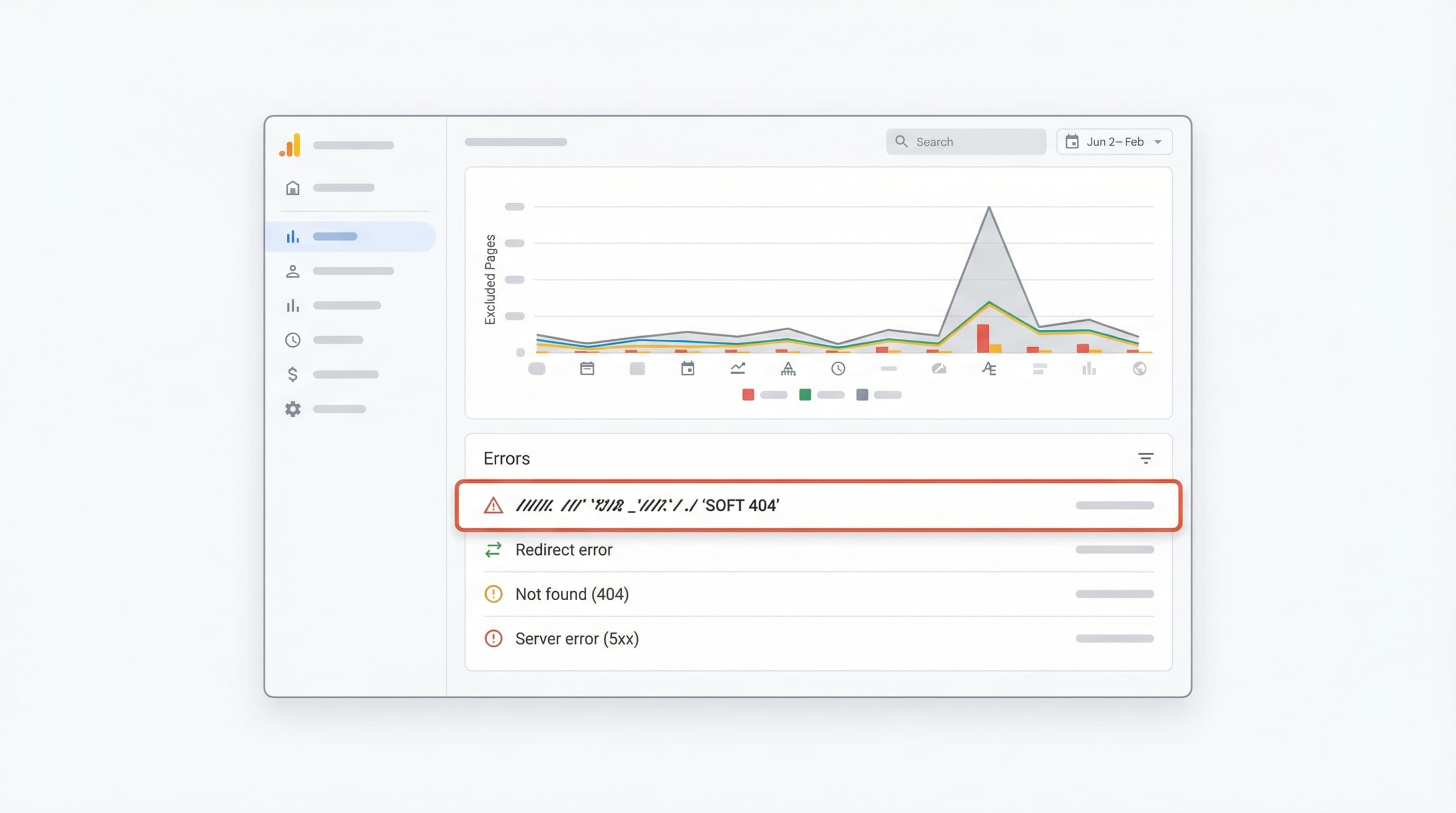
In this diagnostic phase, the goal is to clean up the noise in your data to detect "Soft 404" signals and prioritize actions before losing rankings.
Correctly defining the type of stockout prevents decisions that damage authority and accumulated traffic.
Approach: Add a field in your PIM (Product Information Management, the central platform for governing your catalog information) for "stockout type" and synchronize that attribute with a metafield in Shopify. Shopify metafields allow you to add custom data to products to automate availability communication and improve theme templates without touching complex code.
Concrete Example:
In the PIM, create the field stockout_type with values temporary and permanent. Map this field to a product definition metafield in Shopify (custom.stock_status).
A Soft 404 occurs when a URL returns a 200 (OK) status code to the browser, but the page content indicates that the product does not exist, is empty, or has very little useful content ("thin content"). Search engines detect this discrepancy and may remove these pages from the index due to low quality, causing a silent drop in traffic.
How to Detect It: Check the Pages report (formerly Coverage) in Google Search Console. This is Google's free tool for monitoring indexing and errors. Look for the "Excluded" tab or "Errors" and filter by "Soft 404?". Complement this with a technical crawl (using Screaming Frog or similar) to check HTTP responses and look for content patterns like "Product not found" within pages returning a 200 code.
To delve deeper into how Google classifies these errors, the Google Search Central documentation is useful for understanding soft 404 detection and recommended procedures.
Example: A product page that, when out of stock, hides the description, photos, and price, leaving only a disabled button and the text "No stock". Google renders the page, sees it is devoid of value, and marks it as a Soft 404 even though the server says "200 OK".
To avoid reacting blindly, prioritize actions based on data. Approach the diagnosis in 5 clear steps:
temporary or permanent in PIM or Shopify.Practical Example: If a product with a high traffic history is discontinued but has inbound links from important blogs, redirect it with a 301 to the most relevant category or the new model, rather than to the home page.
For teams managing dynamic catalogs on Shopify, handling out-of-stock products is critical. This decision framework applies business criteria (future sales) and SEO (links and traffic) to choose the appropriate server response.
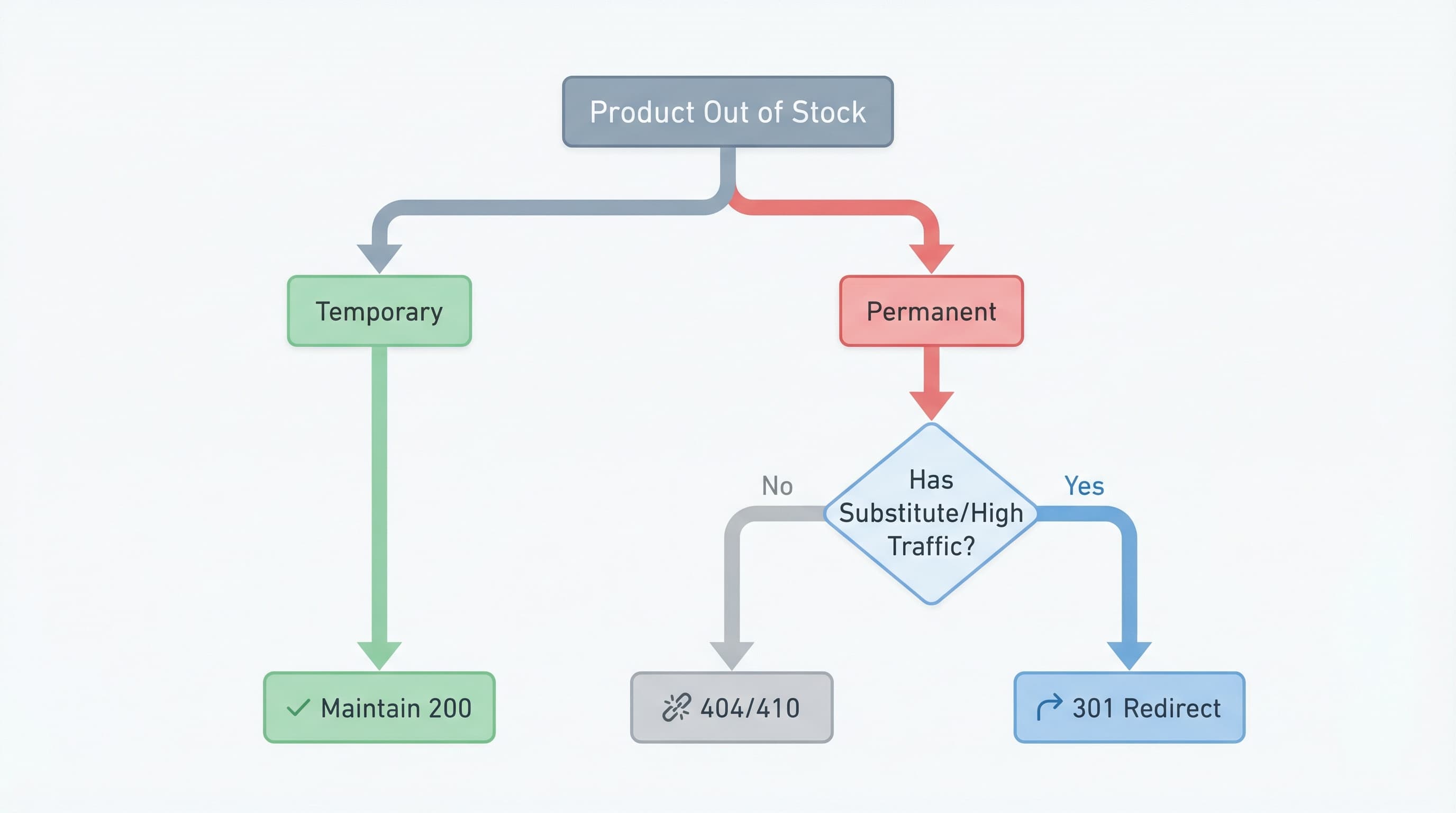
Why It Matters: Maintaining a 200 response is appropriate when the page continues to bring traffic, retains link authority, or generates conversion signals (leads) even without immediate stock.
How to Approach It: Keep the full content on the PDP (Product Detail Page): description, images, and reviews. Show the estimated availability and activate a "Notify me when available" subscription (Back-in-stock alert).
restock_date) so the template displays clear information to the user.availability property configured correctly (e.g., https://schema.org/OutOfStock) to avoid confusing bots.Brief Example: A page for "2024 Edition" sneakers that will return in 2 weeks. It maintains a 200 response, shows a size guide, reviews, and an email form.
Why It Matters: The 301 redirect (permanent) transfers authority (PageRank) and traffic when the product definitely disappears and there is a direct alternative that satisfies the user.
How to Approach It: Redirect to the closest variant or substitute product or to the specific subcategory that best maintains semantic relevance.
Brief Example: Discontinued product "Model X v1" replaced by "Model X v2". Implement 301 from the old URL to the new one.
Why It Matters: Codes 404 (Not Found) and 410 (Gone) indicate to Google that the page provides no value and has no substitute. The 410 is more explicit about permanent removal and usually triggers faster de-indexing.
How to Approach It: Use 410 for permanent removals of products with no demand, no external links, and no historical traffic. Use 404 if you prefer bots to decide more cautiously or if it is an accidental deletion you might reverse.
Brief Example: A limited collection of t-shirts from a 2018 event, sold out years ago and with no current traffic. Return 410 to accelerate Google index cleanup.
Context: Soft 404s dilute site quality. Monitoring Search Console and filtering these errors is a mandatory monthly maintenance task.
Quick Checklist:
Sources: You can consult discussions and guides in the Google Search Central Community regarding how search engines treat Soft 404s to adjust your risk threshold.
SEO management of out-of-stock products on Shopify must be operational, scalable, and measurable. It is not enough to decide the strategy; technical execution must be flawless to avoid redirect loops or contradictory structured data.
Context: Choosing between keeping the URL, redirecting it, or returning 404/410 prevents loss of authority.
How to Approach It: Build a matrix (Excel or Google Sheets) with clear criteria: historical demand, organic traffic (last 12 months), inbound links (backlinks), and existence of replacement.
Example: Product with 500 visits/month and 3 external links -> 301 to immediate parent category.
Context: Shopify allows native redirect management, but the volume may require external tools or imports.
How to Approach It:
source, destination, type (301), and reason.Example:
Upload CSV: /products/old-boots -> /products/new-boots.
Context: If the product will return, the URL must endure.
How to Approach It: Clearly show the status on the PDP. If there is a forecast, show the estimated restocking date.
availability attribute with value out_of_stock but do not remove the product from the feed if you want to keep the listing alive.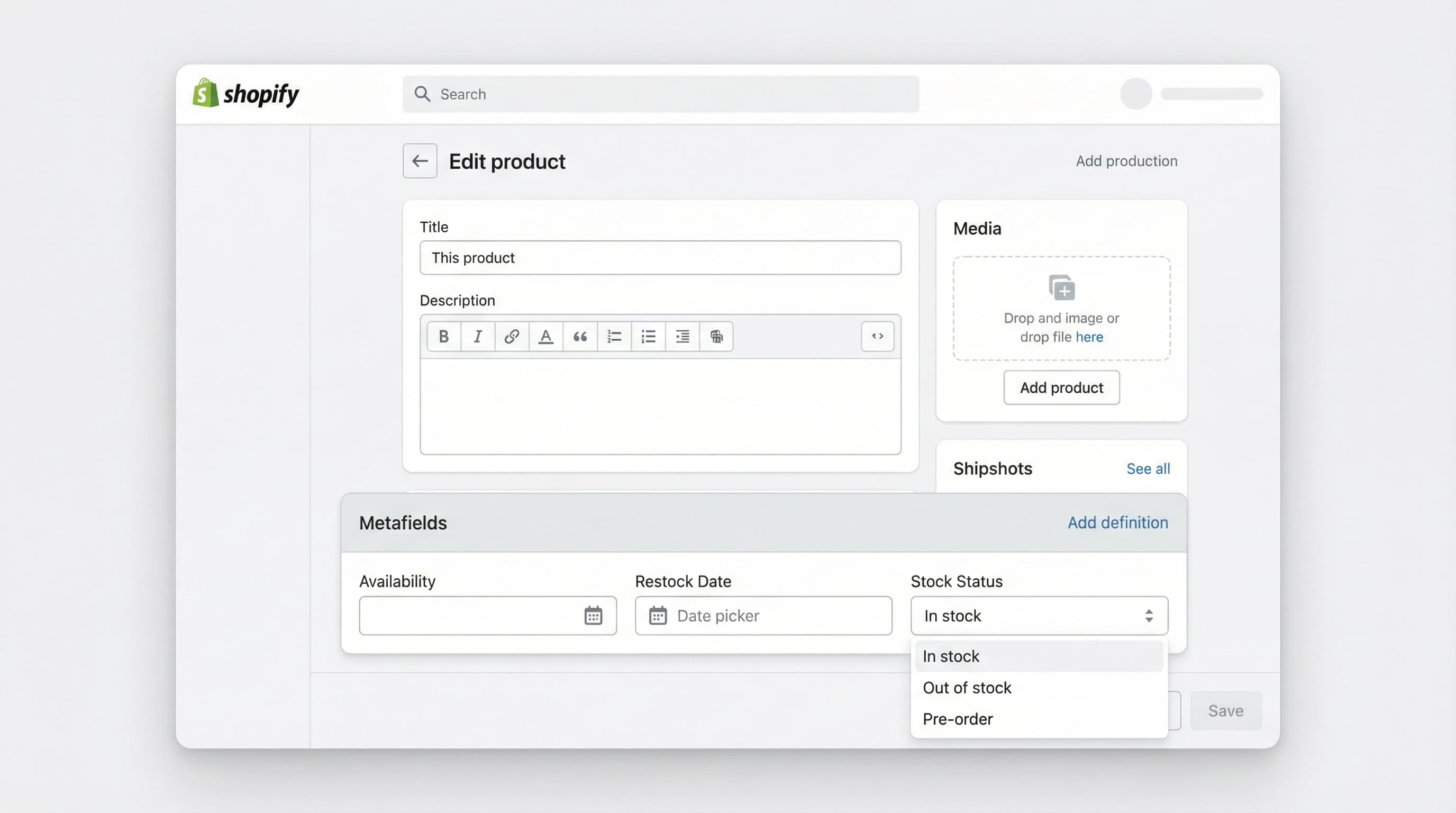
Example: PDP with visible label "Temporarily Out of Stock", "Notify Me" email field, and "Similar in Stock" carousel.
Context: Schema (JSON-LD) and metafields communicate availability to search robots unequivocally.
How to Approach It:
In Shopify, use metafields to store attributes like availability_status, expected_restock_date, and replacement_sku.
offers.availability matches reality (http://schema.org/OutOfStock).Example:
Metafield custom.restock_date with value 2023-12-01. Schema reflecting this data.
InStock while the buy button is disabled. Google penalizes this inconsistency in Merchant Center and Rich Snippets.Context: Verifying that there are no crawl errors or incorrectly indexed URLs is essential after any catalog deployment.
How to Approach It: Prepare a QA (Quality Assurance) protocol:
Location headers in 301 redirects.Example:
Quick terminal command to verify headers:
curl -I https://your-store.com/out-of-stock-product
Should return HTTP/2 301 and the correct location.
Managing the lifecycle of hundreds of SKUs and their redirects manually is prone to human error and consumes hours of technical team time.
ButterflAI detects changes in your stock status (PIM or Shopify) and automates the appropriate SEO response. ButterflAI generates redirect suggestions based on semantic similarity, updates availability metafields, and adjusts listing content to retain traffic, ensuring your catalog is always optimized, with or without stock.
Go deeper with guides and tools connected to this topic.
Quick answers to common questions.
Learn how to write SEO product descriptions that rank on Google and convert. From keyword research to AI automation and structured data strategies.
Mar 20, 2026
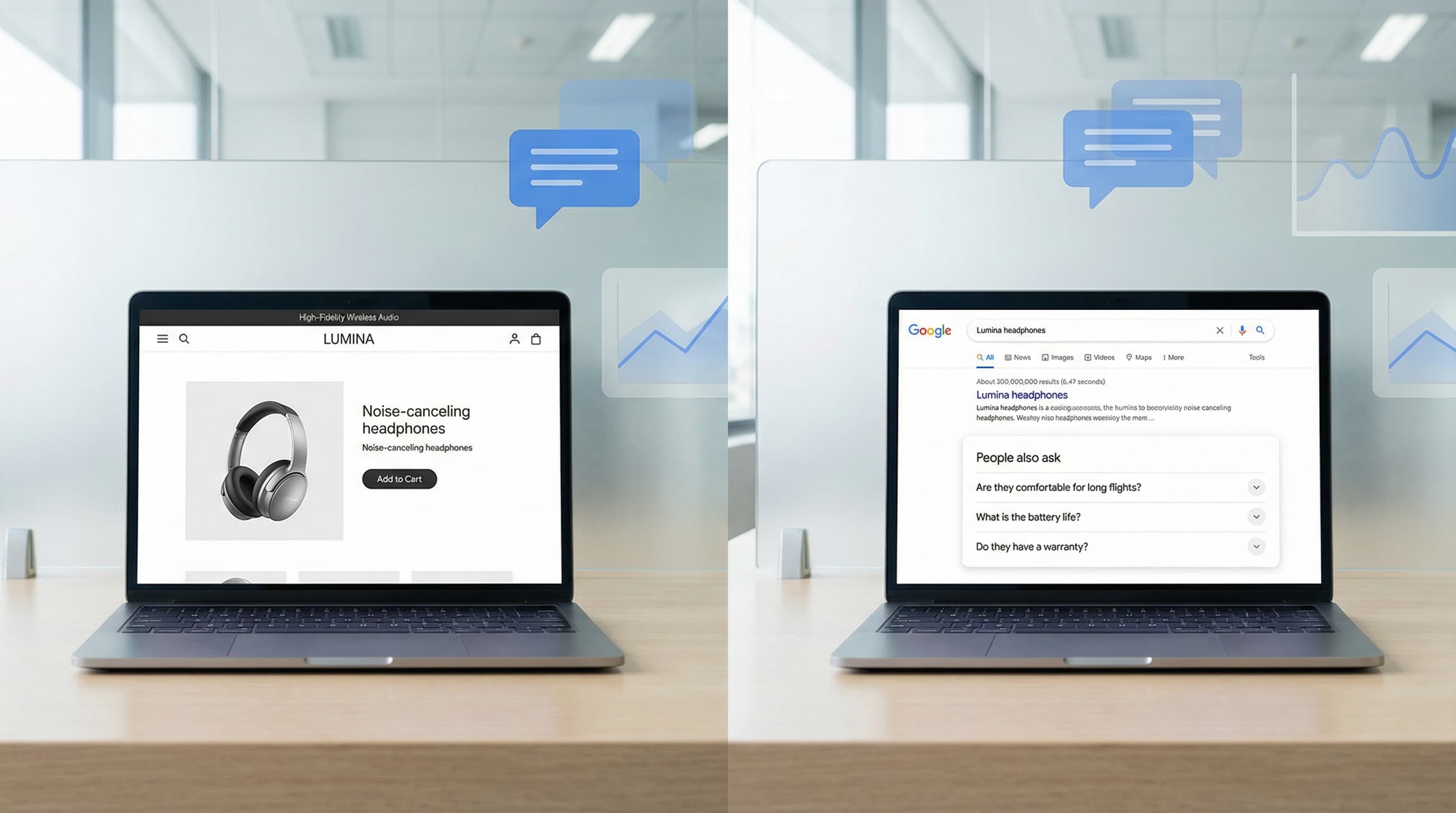
Discover a governance-first workflow to create high-intent product FAQs from real customer data, deploy safely, and measure SERP CTR impact.
Feb 20, 2026

Technical guide to choosing the best SEO app for Shopify, evaluating impact on Core Web Vitals, indexation, and catalog scalability without technical errors.
Feb 7, 2026
