
Ecommerce SEO
SEO for Product Descriptions: The 2026 eCommerce Growth Guide
Learn how to write SEO product descriptions that rank on Google and convert. From keyword research to AI automation and structured data strategies.
Mar 20, 2026
Read More
Optimize your store navigation and improve rich results with this technical breadcrumb guide for Shopify.
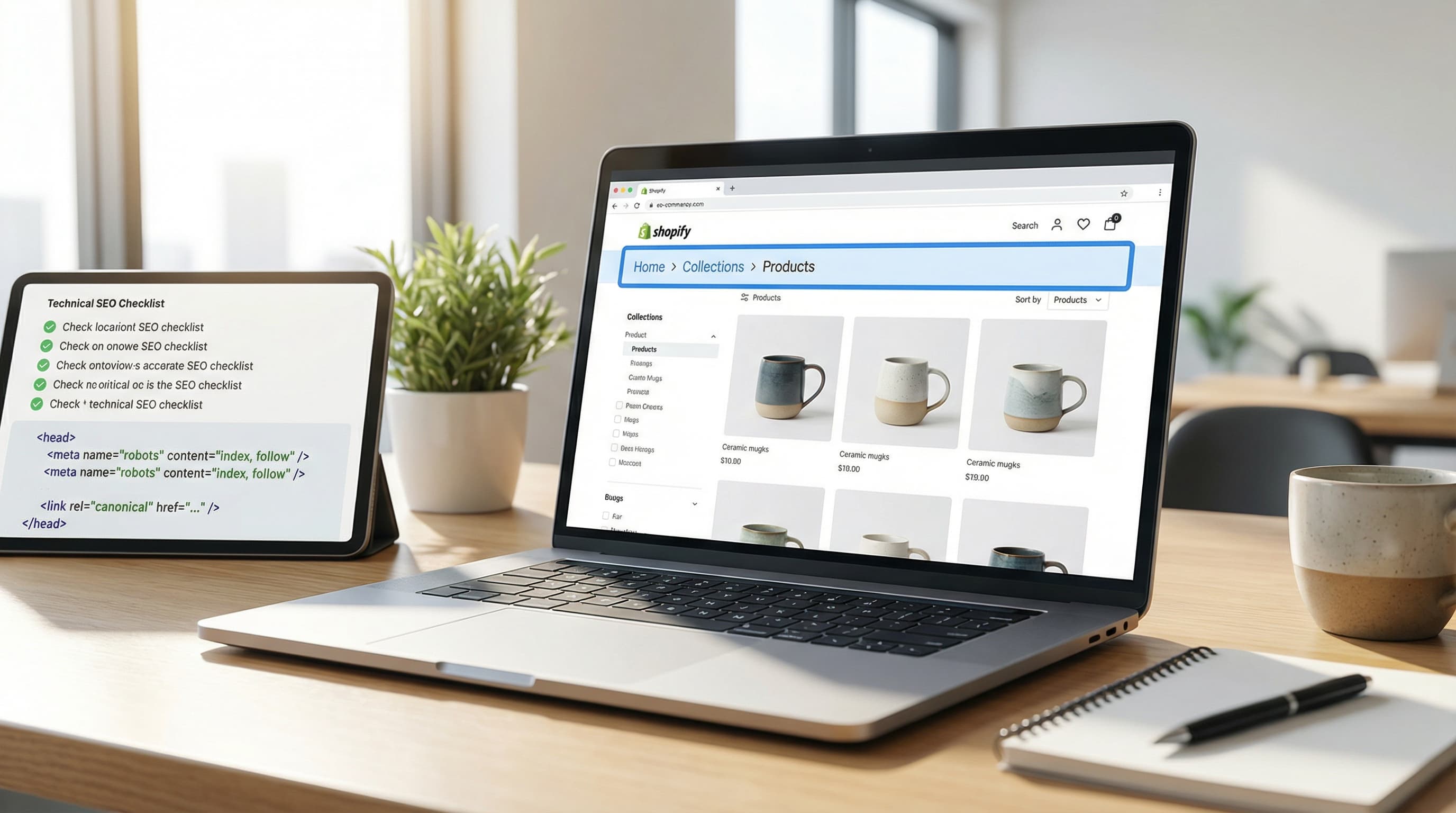
Breadcrumbs in Shopify are a hierarchical navigation signal that helps users and search engines understand a product's position within the store. When implemented correctly, they improve internal linking and the shopping experience. When managed poorly, they generate inconsistent paths and consume crawl budget.
Breadcrumbs clarify information architecture and reduce the number of clicks needed to reach parent collections, facilitating vertical navigation. To address this correctly, it is fundamental to implement BreadcrumbList in JSON-LD. This allows engines to interpret the semantic hierarchy of the web. You can consult the official documentation at Google Search Central and the standard vocabulary at Schema.org.
A classic example of good implementation is Home / Women / Shoes. The most common error in Shopify is showing paths derived from the user's session (browsing history) instead of the product's canonical taxonomy.
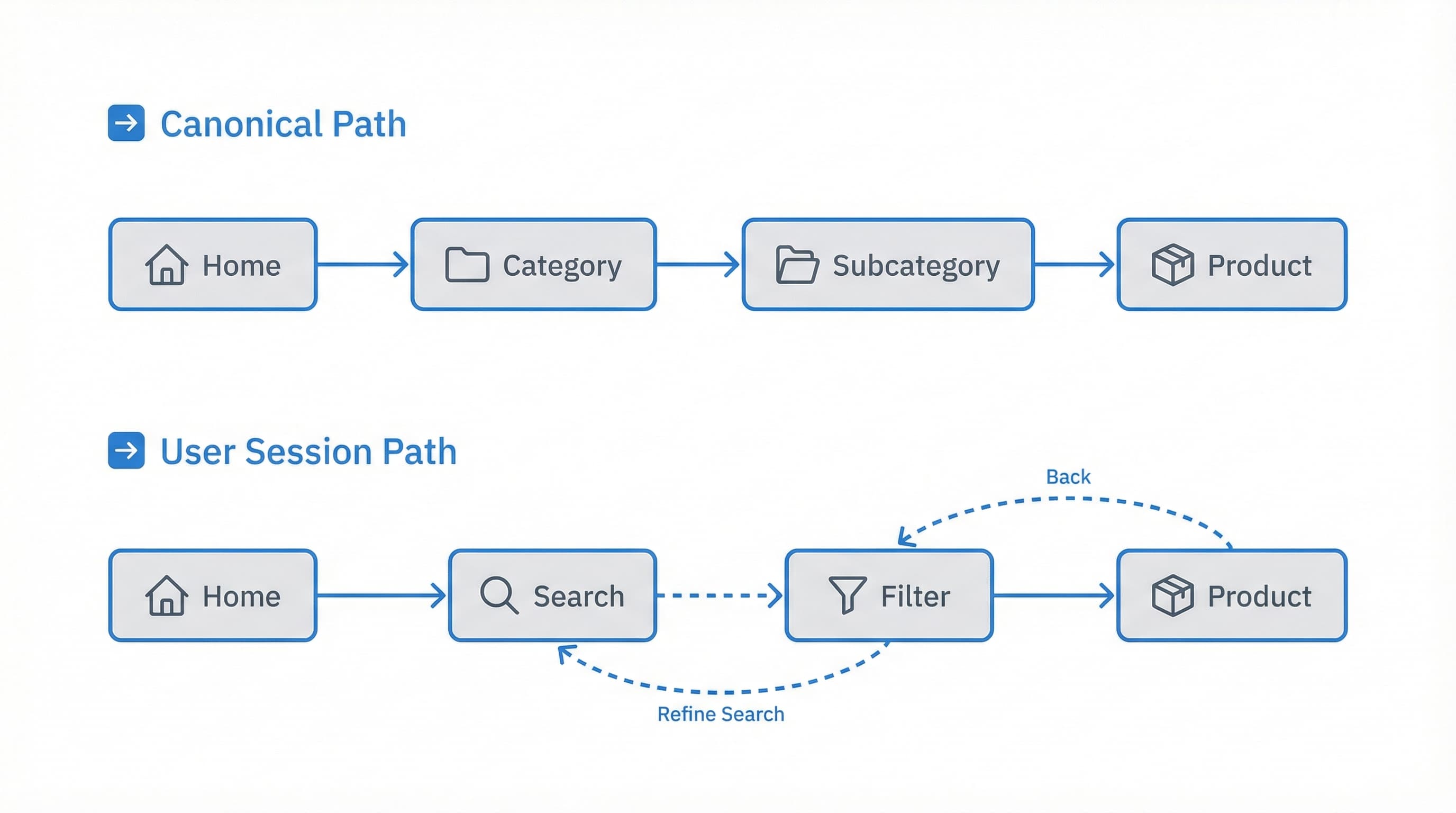
Breadcrumbs provide value in stores with a defined taxonomy and stable collections, as they reinforce internal linking towards key category pages.
Shopify collection: A logical grouping of products (manual or automated) that defines the hierarchy nodes to be reflected in the breadcrumbs.
The best practice is to define a primary collection per product and generate the breadcrumbs from that collection in the product template (product.json / product.liquid). Preferably, this collection should be powered by a metafield indicating the "preferred path".
Home / Electronics / Headphones (for a product assigned to a main collection)./collections/offers/products/x.In catalogs where products belong to multiple collections or in stores that index filter routes, breadcrumbs can multiply indexable URLs, confusing search engines (authority dilution) and users.
Shopify variant: A specific version of a product (size, color) with its own attributes. It is not advisable to include variants as separate nodes in breadcrumbs to avoid duplicate content.
Avoid generating breadcrumbs from dynamic collections ("New Arrivals", "Best Sellers") or from routes with URL parameters. Also, block the indexing of filter result pages.
Home / Offer and Home / Headphones.Breadcrumbs distribute authority (Link Juice) if they represent the store's actual hierarchy. If not, they multiply crawlable URLs unnecessarily.
PIM (Product Information Management): A centralized system for managing product information. It is crucial because it ensures categorization data is consistent for generating coherent breadcrumbs on the front-end.
To optimize crawl budget, keep internal links clean and use rel="canonical" tags on pages that might generate multiple paths. Avoid indexing filter combinations. The goal is to always link to main collections in the breadcrumbs to concentrate authority on relevant landing pages.
Breadcrumbs in Shopify help users and search engines understand the store hierarchy and improve internal linking. This practical guide explains implementation in modern themes like Dawn (OS 2.0), collection and variant management, and when to choose custom development versus an app.
Create a reusable snippet in snippets/breadcrumbs.liquid and call it from the product template, collection template, and page template. Prioritize a canonical collection saved in an SEO metafield and generate the BreadcrumbList JSON-LD markup in the document head. If you prefer to avoid technical maintenance, consider using an app, though native code is cleaner.
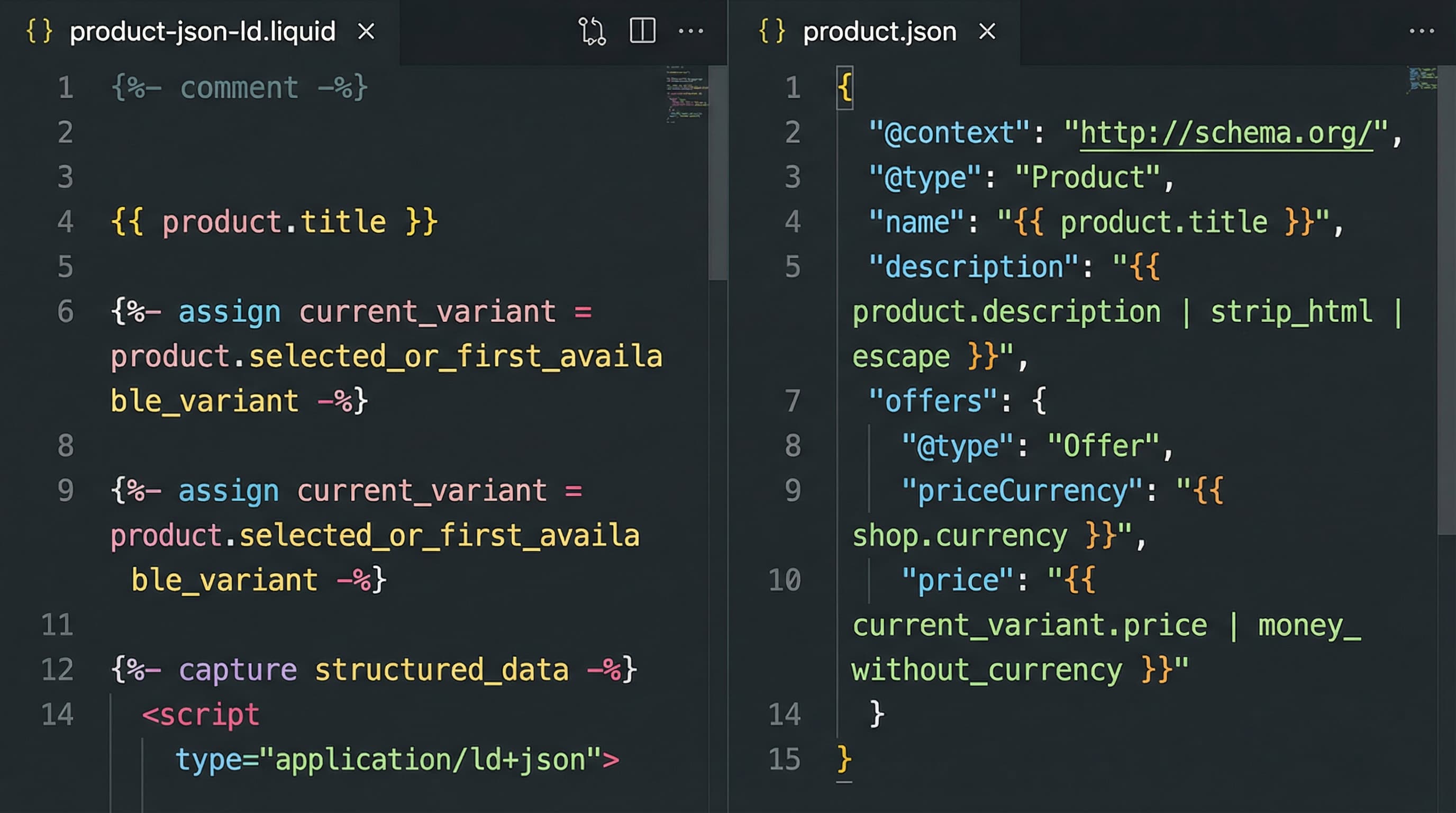
A centralized snippet avoids inconsistencies between templates and facilitates QA testing. Create a file named breadcrumbs.liquid in the snippets folder.
Below is an example of the logic (replace the syntax with real Liquid):
{% if template contains 'product' %}
{% assign trail = product.metafields.seo.breadcrumb_path %}
{% if trail %}
{% for item in trail.items %}
<a href="{{ item.url }}">{{ item.title }}</a>
{% endfor %}
{% endif %}
{% endif %}
The most common error here is duplicating this logic in every template file (product, collection, blog) instead of calling the snippet with {% render 'breadcrumbs' %}.
Each template provides a different context and can generate inconsistent paths if the data source is not controlled.
Fallback logic example:
In the product template, first search for product.metafields.seo.breadcrumb_path. If empty, use as fallback:
{% assign col = product.collections.first %}
<a href="{{ col.url }}">{{ col.title }}</a>
Note: Using .first is risky without prior curation/validation, as it may take irrelevant automated collections.
The BreadcrumbList markup from Schema.org clarifies the hierarchy for search engines and is necessary to activate Rich Snippets in SERPs.
Schema: Standard structured data vocabulary that search engines use to understand content.
Generate a JSON-LD block in the <head> or at the end of the body using the same path logic as the HTML view. Ensure itemListElement has a consistent position property and that IDs point to absolute canonical URLs.
Simplified JSON-LD structure:
{
  "@context": "https://schema.org",
  "@type": "BreadcrumbList",
  "itemListElement": [{
    "@type": "ListItem",
    "position": 1,
    "name": "Home",
    "item": "https://yoursite.com"
  },{
    "@type": "ListItem",
    "position": 2,
    "name": "Category",
    "item": "https://yoursite.com/collections/category"
  }]
}
It is vital not to desynchronize the numeric position order between the JSON-LD and the visible breadcrumbs on screen.
The decision affects control, performance, and scalability of the routing logic.
If your catalog has complex category rules and you have a technical team, develop within the theme. If you need speed and external support, try an app, but always validate how it generates paths and JSON-LD. A typical error is installing an app that generates duplicate links or alters the sitemap without warning.
Breadcrumbs in Shopify can become a source of noise for Google when the same product belongs to multiple collections or when the URL includes variants. Solving this is critical to avoid keyword cannibalization.
Choosing a canonical collection avoids multiple paths to the same product and reduces duplicate content.
To address this, define a primary collection per product using a specific metafield (namespace.key) or an internal tag, and always build breadcrumbs using that value. This guarantees consistency between the visual template and structured data.
Example: Using the custom.primary_collection metafield to generate Home / Category / Product in both visible breadcrumbs and the BreadcrumbList.
The typical error is letting the current collection in the URL (/collections/name/products/product) control the breadcrumb. This produces different (and sometimes circular) paths depending on how the user arrived.
Variants are usually added as query strings (?variant=1234) which should not change the hierarchical structure of breadcrumbs.
Canonical tag: HTML tag that indicates to search engines which is the "official" version of a page to avoid duplicates.
Build breadcrumbs always pointing to the product's canonical URL without variant parameters. In practice, you can show the selected variant as non-linkable text on the PDP, but the previous link must go to the base product.
Home / Category / Product Red Size M (text) but link the upper level to /products/product-name.?variant=, fragmenting page authority.Products in transversal collections (e.g., "Sales", "New Arrivals") can generate breadcrumbs that do not reflect the main catalog hierarchy.
Prioritize a selection logic by business order:
primary_collection metafield if it exists.For structured data markup, always use the canonical path. If a product is in "Black Friday" and "Coats", use "Coats" in the breadcrumb. Using temporary paths confuses search engines about the URL's permanent topic. Consult the official Shopify SEO documentation for more details on URL structure.
Implementing breadcrumbs is only half the work; validation ensures they help indexation and do not generate crawl errors.
Search Console: Free Google tool to monitor your site's presence in search results and detect technical errors.
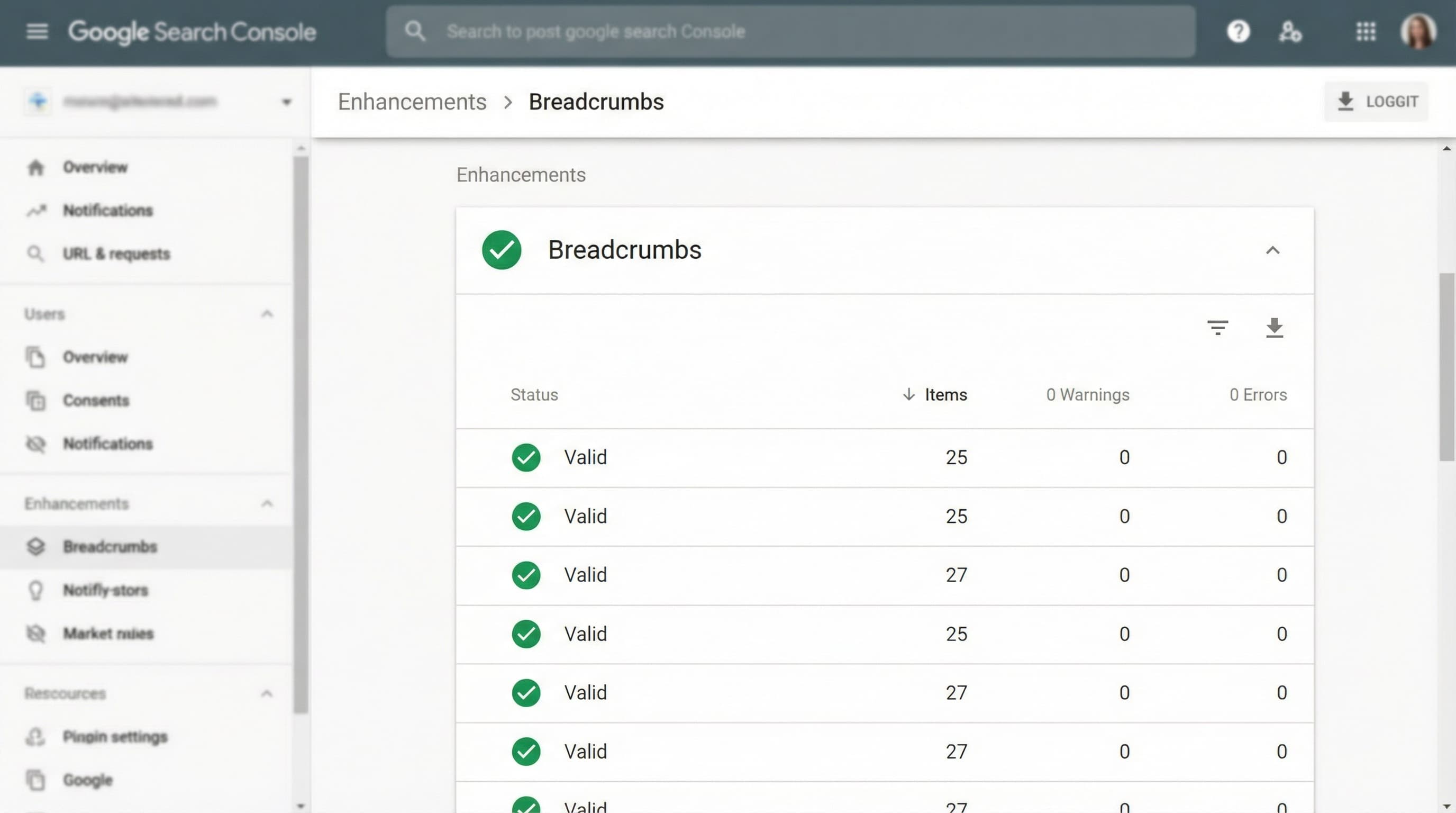
The markup must reflect the visible path and be unique per URL. Generate the JSON-LD in product.liquid building the list with absolute URLs. Avoid generating multiple BreadcrumbList blocks for the same page.
position: 1 -> Home (absolute URL), position: 2 -> Summer Collection (absolute URL), position: 3 -> Product (absolute URL).Breadcrumbs must match the canonical to avoid sending contradictory signals to the bot. Verify that the final item of the BreadcrumbList matches exactly with the rel="canonical" tag in the <head>. If Shopify serves URLs with collections in the path, normalize them to the root /products/ when building the JSON object.
Breadcrumbs must be readable without taking up critical space (above the fold) on small screens. Show a visually simplified version (e.g., "Back to [Parent Collection]") but keep the full JSON-LD in the code for search engines. This improves usability without sacrificing technical SEO.
Quick Checklist:
rel="canonical".Breadcrumbs in Shopify are key for UX and for engines to understand store architecture. Here is how to measure their real impact.
A direct relevance signal. CTR usually improves when Google shows breadcrumb rich snippets instead of the flat URL, as it provides context to the user before the click. Measure CTR by page type in Google Search Console, comparing 30-day periods before and after implementation.
Indicates if users reach PDPs (Product Detail Pages) faster. An effective breadcrumb path reduces the steps needed to navigate vertically. PDP (Product Detail Page): The product page where conversion happens. Configure events in GA4 that count clicks on breadcrumbs to evaluate if users use them to "go up" a level instead of using the browser's "back" button.
Check that Google correctly indexes sub-collections linked from breadcrumbs. Observe the "Indexed pages" report in Search Console; you should see an increase in coverage for level 2 and 3 collections after correcting internal link structure via breadcrumbs.
Maintaining consistency between collections, tags, and metafields for breadcrumbs to work is a manual task prone to errors. ButterflAI detects inconsistencies in your catalog and structures product data to ensure navigation hierarchy and technical SEO are always aligned, without the need for constant manual review.
Go deeper with guides and tools connected to this topic.
Quick answers to common questions.
Learn how to write SEO product descriptions that rank on Google and convert. From keyword research to AI automation and structured data strategies.
Mar 20, 2026
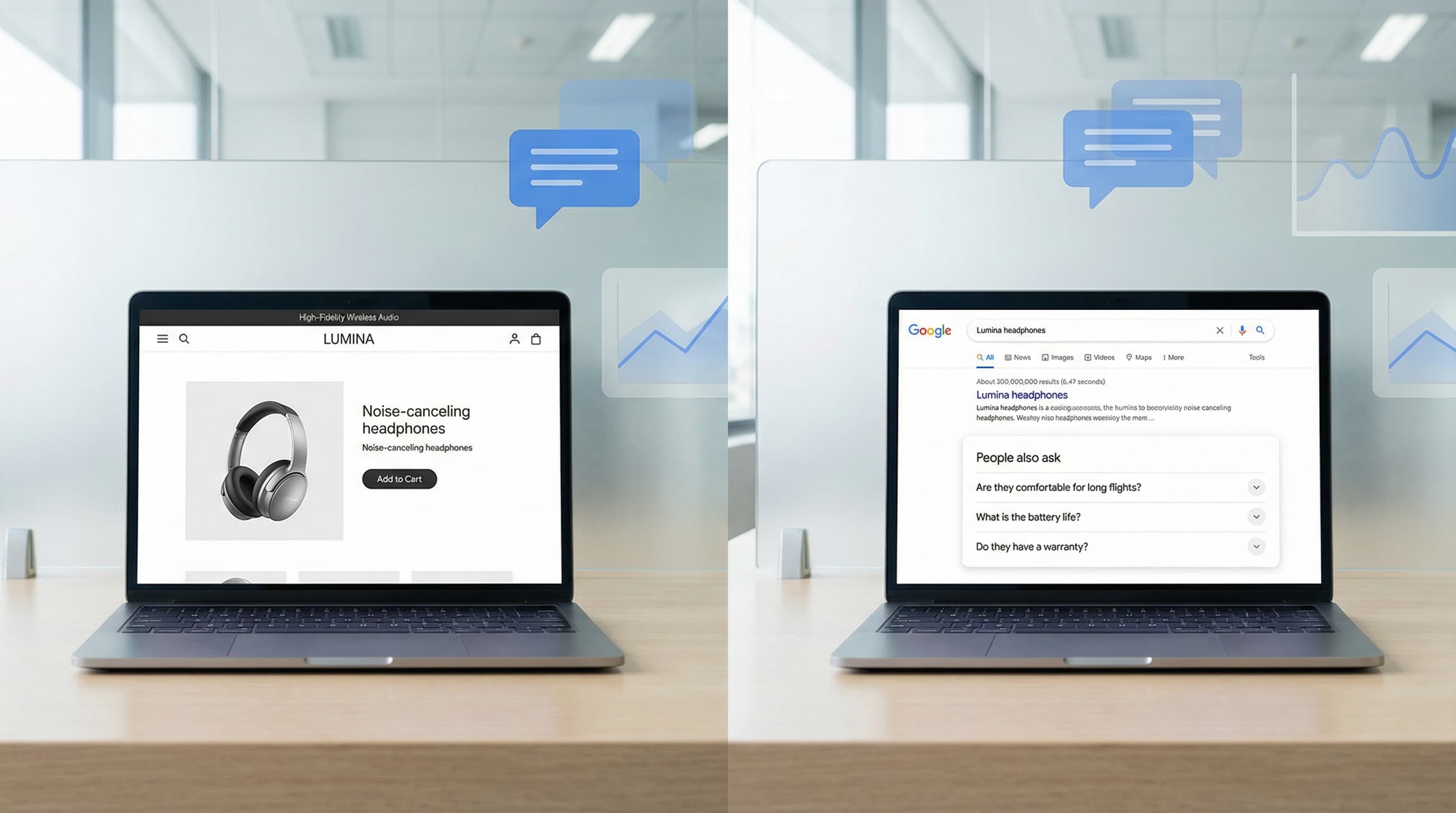
Discover a governance-first workflow to create high-intent product FAQs from real customer data, deploy safely, and measure SERP CTR impact.
Feb 20, 2026

Technical guide to choosing the best SEO app for Shopify, evaluating impact on Core Web Vitals, indexation, and catalog scalability without technical errors.
Feb 7, 2026
