

Ecommerce SEO
Guide to Rich Snippets Products: Boost CTR in 2026
Learn to implement rich snippets products to boost CTR & visibility. Our 2026 guide covers JSON-LD, testing, and common eCommerce pitfalls for success.
Jun 13, 2026
Read More
Master JSON-LD markup in Shopify to maximize Rich Results and avoid critical errors in Google Search Console.

Quick answers to common questions.
Learn to implement rich snippets products to boost CTR & visibility. Our 2026 guide covers JSON-LD, testing, and common eCommerce pitfalls for success.
Jun 13, 2026

Create powerful tone of voice guidelines for e-commerce. Define, document, & scale your brand voice for product copy, SEO, and AI success.
Jun 11, 2026

Explore 10 actionable writing strategy examples for eCommerce. Learn SEO-first content, storytelling, and data-driven methods to boost traffic and sales.
Jun 10, 2026
SEO structured data is a standardized format for describing the properties of a product page so that search engines can understand them better. In Shopify, correct markup increases the likelihood of obtaining rich results and significantly improves the CTR of product pages in SERPs (Search Engine Results Pages).
For a technical or digital marketing profile, understanding that this data acts as the "technical handshake" between your catalog and search algorithms is fundamental. It’s not just about Google reading the text, but semantically interpreting what constitutes a price, a user rating, or a unique product identifier.

Search engines use markup to display price, availability, ratings, and key attributes; this makes the result stand out against flat organic results. For a Shopify eCommerce store, this translates to a higher click-through rate and more qualified traffic. The user knows if the product is in stock or if the price fits their budget before clicking, reducing bounce rates and improving purchase intent.
How to approach it: Ensure the JSON-LD exposes the same prices and availability as the visible HTML and the feed. Verify that price and stock values come from the same master source to avoid discrepancies that confuse the search engine.
JSON-LD is the markup format recommended by Google for describing entities. Unlike older microdata, JSON-LD separates the markup from the visual content, making it easier to maintain.
Implementing a correct JSON-LD schema improves the chance of appearing with rich results that boost visibility. However, not all rich results are limited to stars. In eCommerce, there are several critical types we must master.
The Product type is the root of all markup. It describes key attributes such as name, brand, and images.
SKU-9988 with the brand Acme Corp and a high-resolution image gallery.The Offer type communicates the price, currency, and availability. It is the critical piece for commercial results.
priceValidUntil for temporary offers and use the ISO 4217 format for currency.price of 29.99 and an availability status based on real stock communicated by the fulfillment system.Merchant Listings are results specifically oriented towards shopping. They require perfect alignment between what the Google bot sees on your web and what you send in your Merchant Feed.
schema.org such as InStock, OutOfStock, or PreOrder.InStock in the JSON-LD when the checkout process returns an out-of-stock error.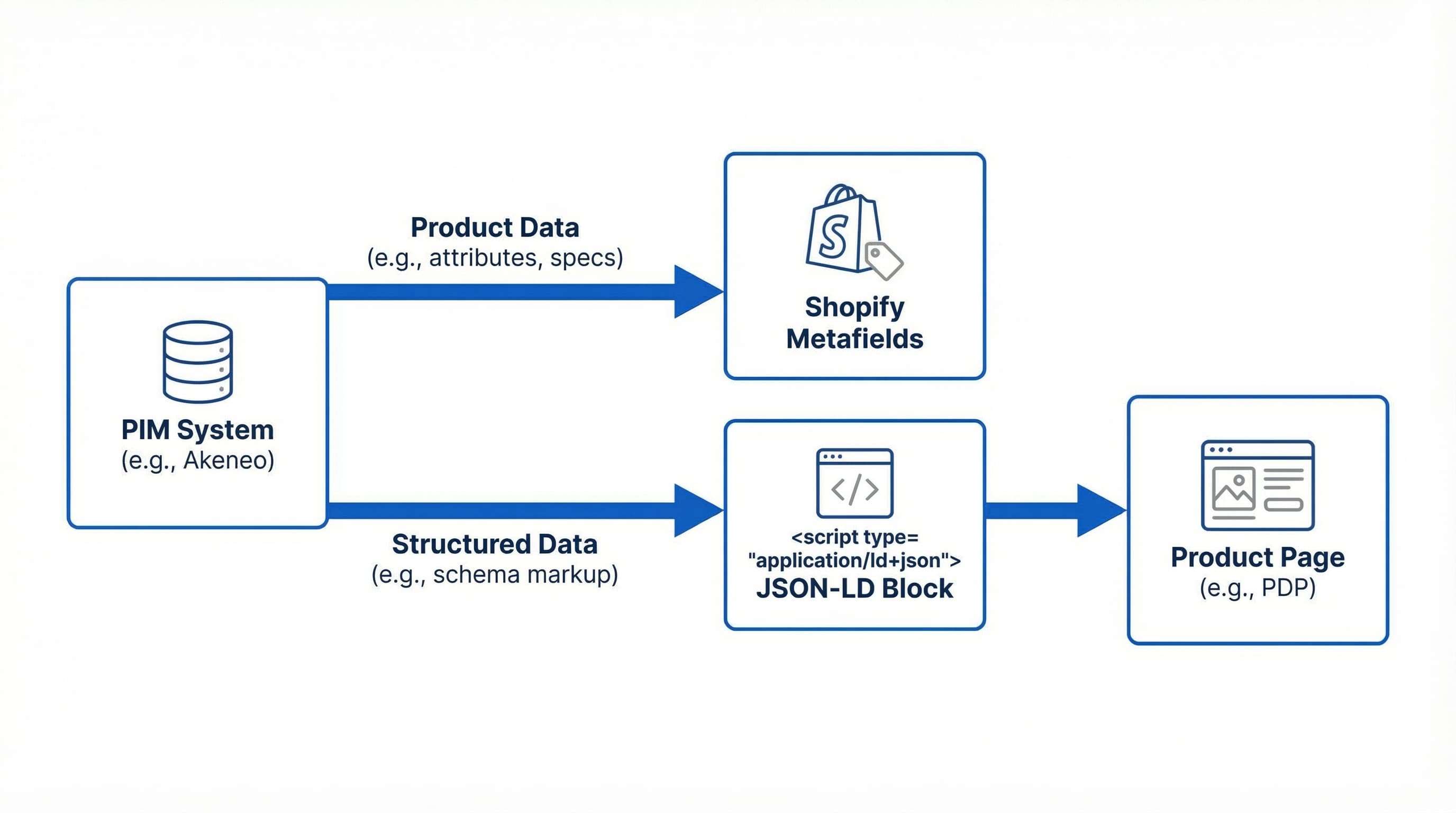
Manual implementation using Liquid offers total control and avoids the overhead of external apps. The goal is to create a dynamic block that reads Shopify variables in real-time.
Placing the JSON-LD script in the <head> or just after the main content (main) helps crawlers detect it quickly.
json-ld-product.liquid and include it in your product template. This script should read variables like product.title, product.description, and product.variants.| escape or | strip_html is mandatory to avoid JSON syntax errors when descriptions contain special characters or HTML tags.Every variant that has a unique price or identifier must be represented in the schema to avoid indexing errors.
offers by iterating over product.variants. Each item must reference its own SKU, price, and a URL pointing specifically to that variant (using the ?variant=ID parameter).{% for variant in product.variants %} ... create the offer object ... {% endfor %}.Global identifiers allow search engines like Google to correctly group your product with similar ones in the market.
The biggest challenge is not writing the code, but ensuring the data is "alive". In Shopify, inconsistencies often occur when pricing apps or external inventory systems are not reflected in the server-side render.
Star ratings in SERPs enormously increase CTR, but Google is very strict with their implementation.
ratingValue and reviewCount.Product object but integrates within the main object you created in Liquid.product.selected_or_first_available_variant.price. Ensure the decimal format is correct (dot instead of comma for the JSON standard).priceCurrency must be static or come from shop.currency, and the price must be a pure number, for example, 49.90.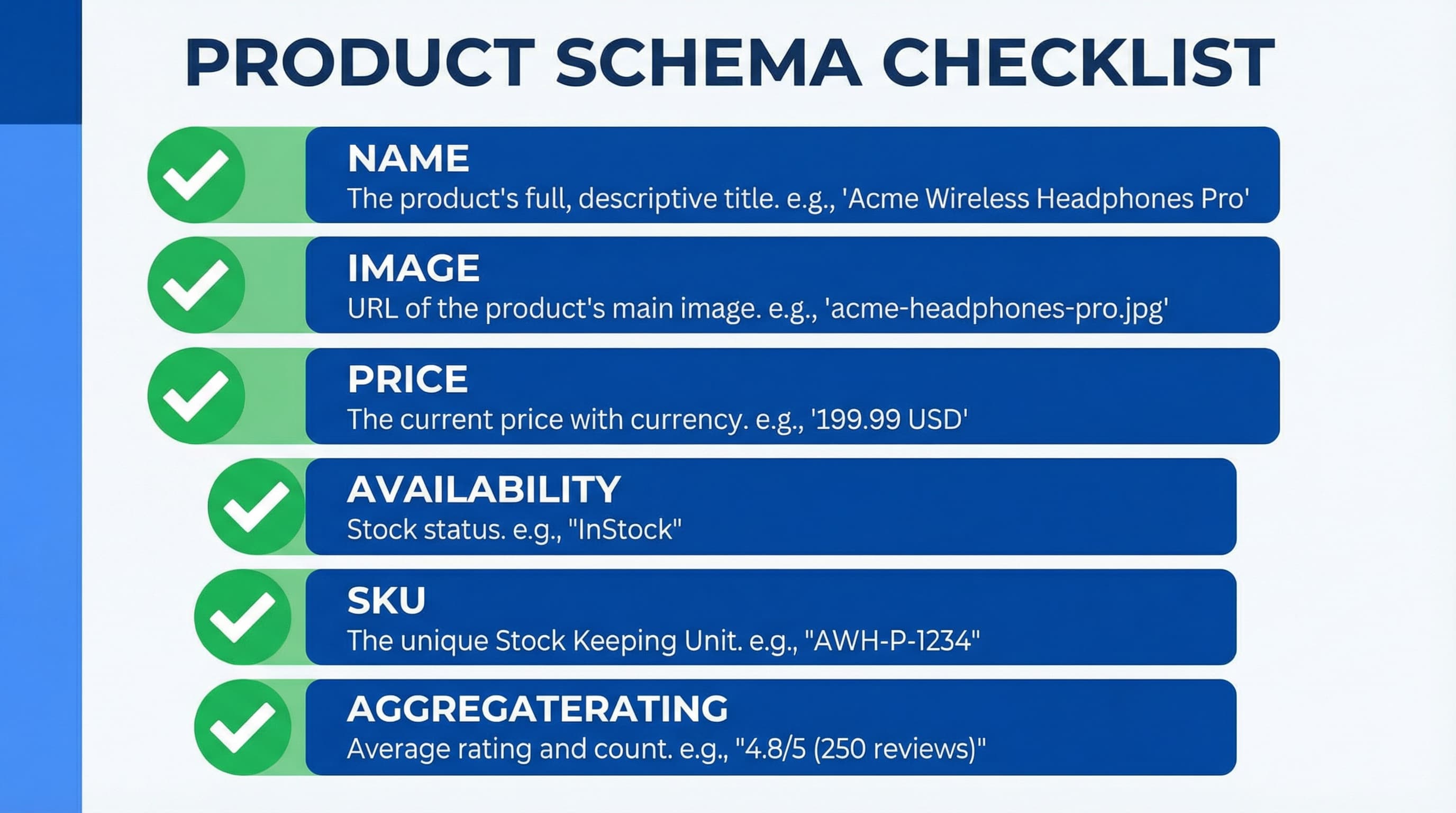
Once implemented, the work is not over. Changes in Shopify themes or the catalog can "break" the markup without warning.
schema.org standards.priceValidUntil).For high-volume eCommerce, the PIM acts as the single source of truth. It centralizes master data and ensures that what the technical catalog says is exactly what the Google bot reads. This drastically reduces QA time and eliminates manual errors in mapping complex attributes.
Maintaining the integrity of structured data in catalogs with thousands of references is unfeasible manually. ButterflAI helps eCommerce teams automate listing quality assurance, detecting discrepancies between the PIM and the storefront in real-time. With ButterflAI, you ensure your schema markup is always consistent, maximizing your chances of obtaining rich results and scaling your SEO without technical errors.