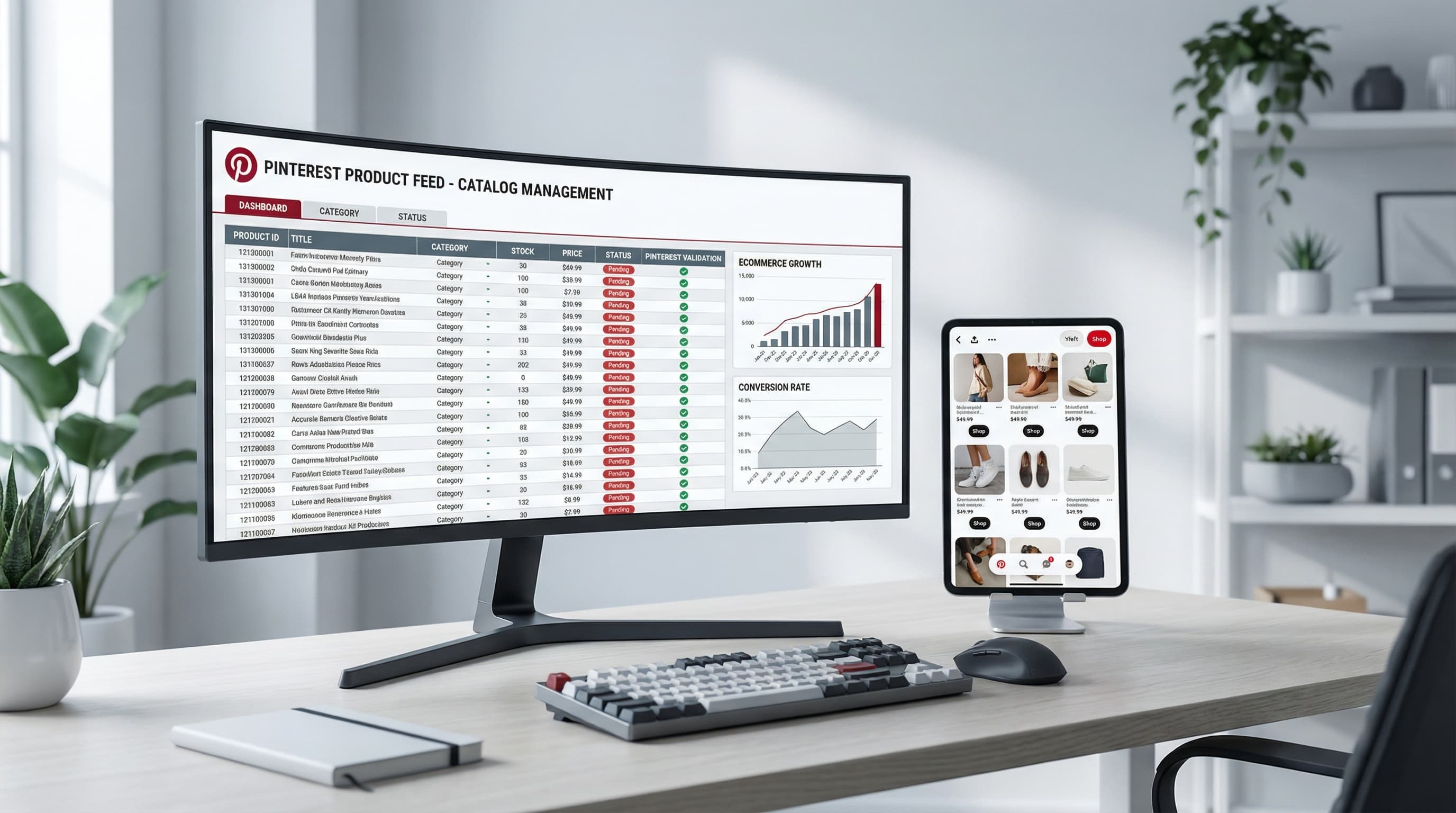
Which Attributes Really Matter (and Why Products Get Disapproved)
This text explains the Google Shopping attributes that truly matter to avoid rejections in Merchant Center and improve performance in Shopping and Performance Max campaigns. It includes a list of mandatory and recommended attributes, differences between identifiers and enrichment attributes, and a quality control checklist applicable in Shopify using products, variants, and metafields.
The most common rejections come from missing or inconsistent identifiers, prices or availability that do not match the store, and disallowed categories or images. Avoiding this requires mapping SKU, GTIN, brand, size, and color to Google attributes and maintaining data quality in the feed.
Quick Summary of Mandatory and Recommended Google Shopping Attributes
Core Requirements
This is key because without these fields, the product may be rejected.
Common mandatory attributes: id, title, description, link, image_link, availability, price, shipping or shipping_label if applicable. For products with global identifiers, Google requires GTIN when applicable, and requests brand and MPN when there is no GTIN. Consult the official specification in Google Merchant Center Help.
Brief Example:
Map internal SKU to id, use a clean title, price with currency, and updated availability.
Typical Error:
Sending prices different from those published in the store.
Identifiers vs. Enrichment Attributes
Understanding the difference helps prioritize data that prevents rejections versus data that improves performance.
Identifiers are GTIN, brand, MPN. Google uses identifiers to recognize the product in its global inventory and avoid duplicates. Enrichment attributes are size, color, material, product_type, google_product_category, and custom labels for campaigns.
Brief Example:
If you sell sneakers, use GTIN and brand as identifiers and size and color as variant attributes.
Typical Error:
Using the pack's GTIN instead of the sold unit's GTIN.
Recommended Attributes for Performance
These attributes usually do not cause rejection but improve matching and performance.
product_type helps with internal organization. google_product_category improves relevance in Google Shopping. Custom labels facilitate segmentation in campaigns. For Performance Max, feed quality influences Google's ability to show the product in high-value conversions.
Brief Example:
Map Shopify collections to product_type and assign google_product_category according to Google's taxonomy.
Typical Error:
Using overly general categories that reduce matching quality.
Data Quality Impact on Performance Max and Shopping
Why Quality Matters
Better data quality reduces rejection, increases relevant impressions, and improves automated campaign learning.
Google uses attributes to understand the product and attribute conversions. Inconsistent data leads to automated disapprovals and visibility penalties. Maintaining synchronization between the store and the feed reduces errors.
Brief Example:
A divergent price generates disapproval and a drop in impressions until corrected.
Typical Error:
Not auditing the feed regularly and relying on a one-time sync.
Brief FAQ on Identifiers
What happens if I don't have a GTIN?
If no GTIN exists, use brand and MPN and add identifier_exists false if applicable. A typical error is marking identifier_exists true without valid identifiers.
How to Map Attributes from Shopify Without Breaking Your Catalog
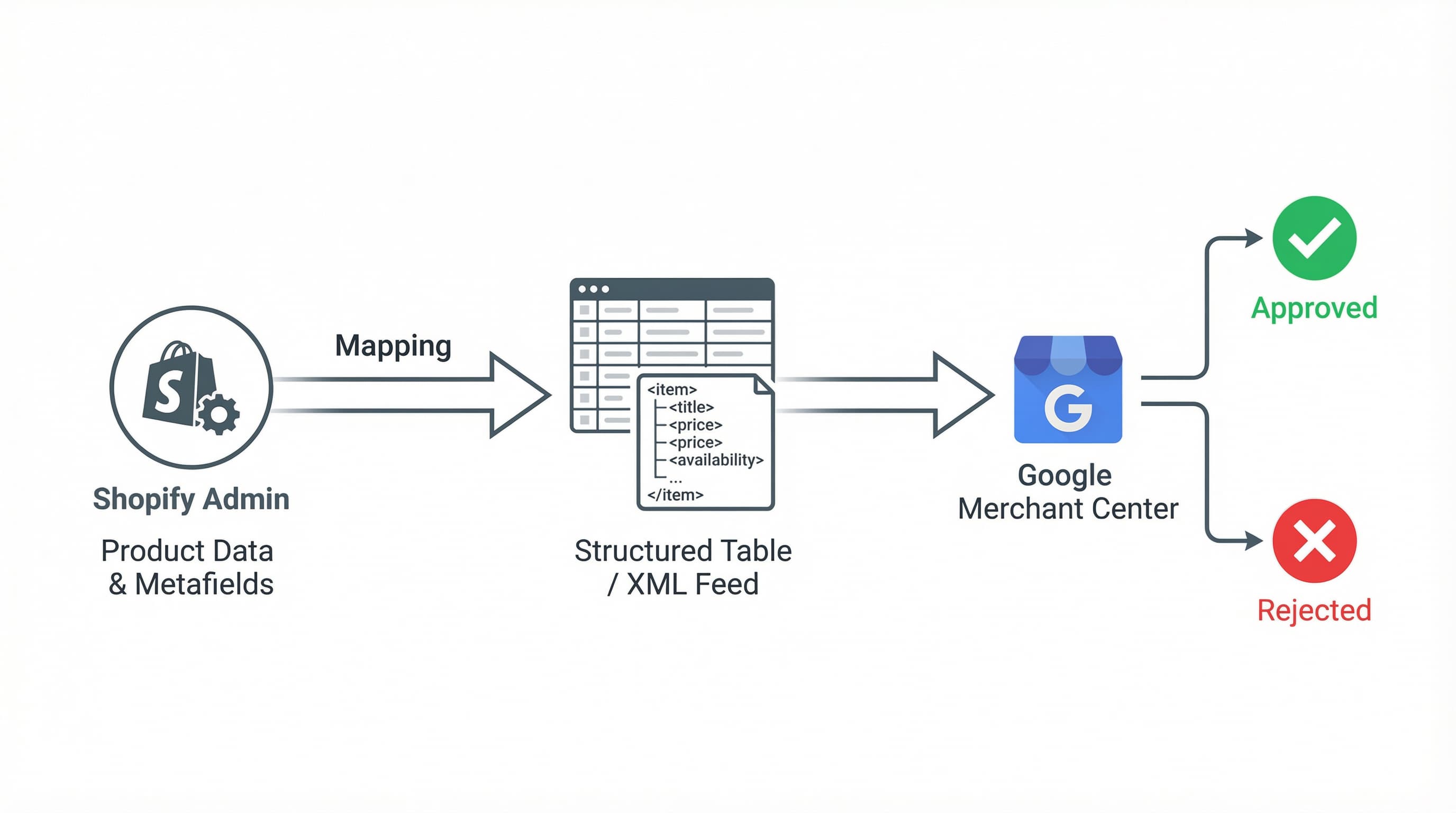
Mapping Google Shopping attributes from Shopify is an operational task that directly impacts feed delivery and visibility in Merchant Center. Below, we detail how to use Shopify products, variants, and metafields to cover information gaps and reduce rejections.
Prioritize identifiers, set rules by variant, and use variant-scoped metafields when the attribute changes between variants. Implement automated controls before sending the feed.
Google Shopping Attributes Mapping Priority
Context: Identifiers and variant attributes have the most impact on approvals and performance.
How to approach it:
- Identifiers first: SKU by variant, GTIN if it exists, MPN if applicable, and brand. If there is no global identifier, mark
identifier_exists false.
- Attributes by variant: size, color, price, availability.
- Taxonomy:
product_type and google_product_category.
Brief Example:
Send unique SKU per variant, variant.barcode when there is a GTIN, and variant.metafields.google.mpn for MPN.
Typical Error:
Sending product-level data when variants differ.
What is a Metafield and Why It Matters
Context: A metafield in Shopify is a custom field that stores additional product or variant data. It matters because it allows completing attributes that the native sheet does not cover and facilitates mapping by variant.
How to approach it:
Use a clear namespace like google and standardized keys. Prefer number types for numeric IDs and single line text for MPN.
Brief Example:
Namespace google, key google_mpn, type single line text in variant scope.
Typical Error:
Saving variant data in product-level metafields.
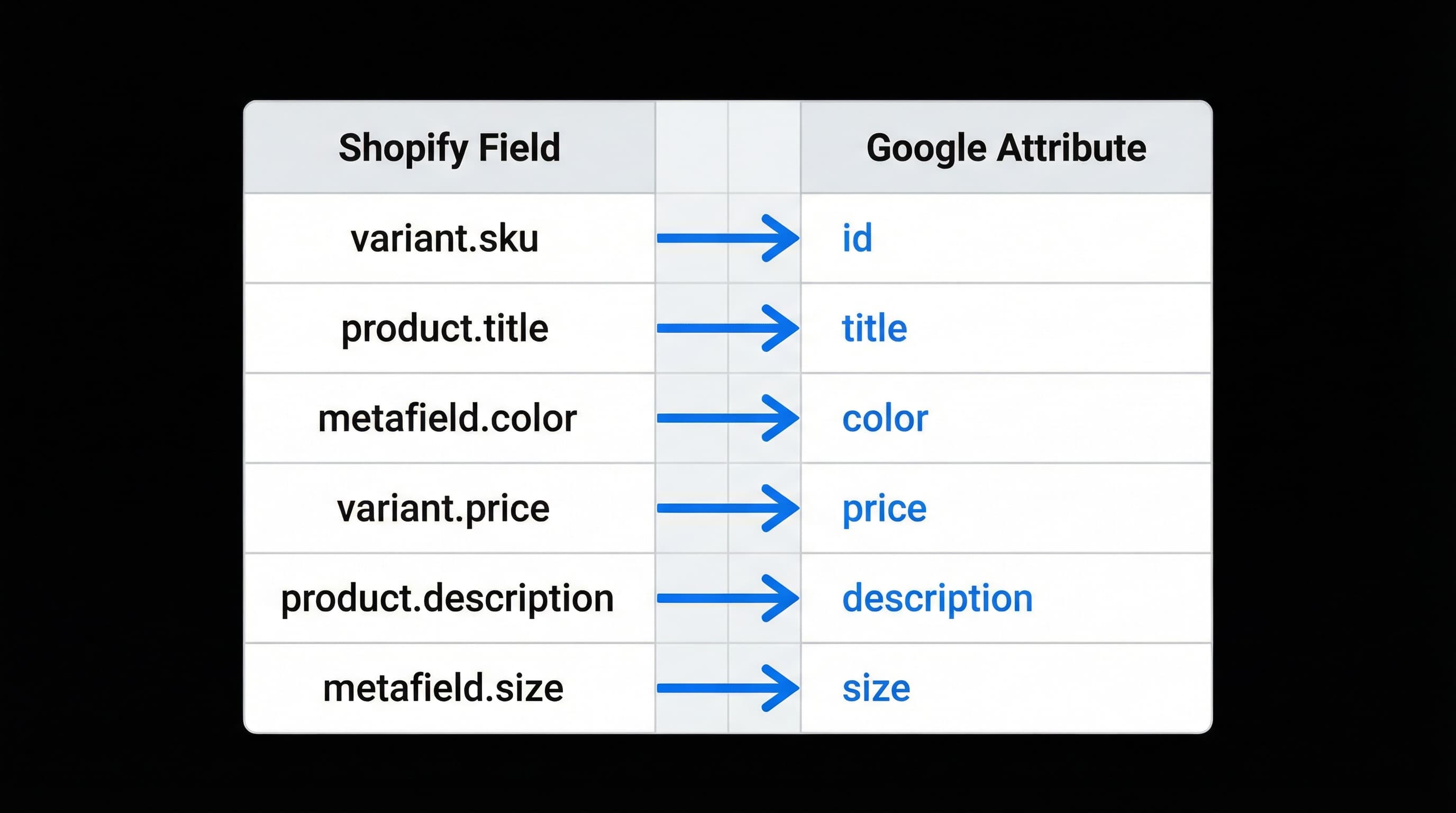
Recommended Mapping Table
Context: A standardized table speeds up feed development and reduces human error.
How to approach it:
Adapt this table to your internal taxonomy and PIM if you use one. (Note: PIM is a central catalog management system that facilitates synchronizing data between channels).
| Merchant Center Attribute | Source in Shopify | Type | Operational Note |
|---|
| id | variant.sku or product handle | unique key | Use variant SKU when it exists |
| title | product.title | text | Clean HTML and microformats |
| description | product.body html | text | Truncate and clean special characters |
| link | product URL | url | Canonical link to product or variant |
| image link | product image per variant | url | Prefer image per variant |
| availability | variant inventory | enum | Sync real-time stock |
| price | variant price | number and currency | Include taxes if applicable by country |
| brand | product.vendor | text | Important for relevance |
| gtin | variant.barcode | text | Validate EAN-13 or UPC format |
| mpn | variant.metafields.google.mpn | text | Use metafield if no native MPN |
| identifier exists | computed | boolean | False for products without global identifiers |
| color | variant option or metafield | text | Normalize to short palette |
| size | variant option or metafield | text | Use standard format S M L or numbers |
| material | product.metafields.specs.material | text | Useful for advanced filters |
| product type | product.type | text | Map to google product category |
| google product category | product.metafields.google.category_id | number | Prefer using Google taxonomy ID |
Typical Error:
Sending duplicate IDs in the feed.
Practical Metafield Management in Shopify
Context: Metafields solve specific gaps when the store or PIM does not have all the necessary fields.
How to approach it:
Create namespace google and keys like google_gtin, google_mpn, google_category_id, google_identifier_exists. Use scoped metafields at the variant level for variable attributes. Maintain a master record of origin and transformation rules.
Brief Example:
variant.metafields.google.google_mpn configured with the manufacturer's MPN value.
Typical Error:
Inconsistent names in keys that break automated mapping.
Complex Cases: Packs, Bundles, and Combinations
Context: Packs and bundles often fail if not treated as independent SKUs.
How to approach it:
Create a unique SKU in Shopify for the pack or manage the pack from the PIM with its own set of metafields. If the pack does not have a GTIN, mark identifier_exists false and provide MPN or brand when possible. Show price per unit when the marketplace allows it.
Brief Example:
Product "Pack 3x Towel" with SKU PACK_TOW_3 and metafield google_identifier_exists false.
Typical Error:
Sending a pack as a collection of variants without a unique SKU.
QA Checklist and Operational Implementation Plan
Google Shopping attributes are the foundation for your products to appear correctly in results and ads and to reduce rejections in Merchant Center. This operational checklist is designed for eCommerce teams using Shopify and PIM. It includes an initial audit, format validations, and a 90-day roadmap to keep the feed healthy and optimize ROAS.
Initial Audit: Inventory and Field Mapping
Why it matters: Without a field inventory, you don't know the real quality of the catalog.
How to approach it: Export a CSV of products and variants from Shopify and extract a file of the current feed. Compare SKU, barcode, gtin, brand, color, size, product_type, and any metafield columns. Prioritize top SKUs by sales and SKUs with frequent errors in Merchant Center.
Example: Simple table with columns SKU, variant id, gtin, metafield.color, and google_product_category.
Typical Error: Assuming all GTINs are in the Shopify barcode field.
Automated Format Validations
Why it matters: Many Merchant Center rejections are due to incorrect format or disallowed values.
How to approach it: Define automated rules that validate GTIN by length and numbering (8, 12, 13, 14 digits), price with currency, availability with allowed values, and condition. Implement scripts or rules in your PIM or a validation app to flag and export errors.
Example: A rule that raises an alert if gtin contains letters or does not have standard length.
Typical Error: Validating GTIN only by length without checking for non-numeric characters.
Continuous Quality Control and Alerts
Why it matters: Detecting rejections quickly avoids loss of impressions and inefficient spend.
How to approach it: Integrate daily checks that compare the generated feed with errors reported in Merchant Center. Prioritize corrections by impact on impressions and sales. Maintain basic KPIs: percentage accepted, number of critical rejections, and average time to correction.
Example: Weekly ticket flow to correct 20 SKUs with "missing gtin" error.
Typical Error: Reacting only when Google marks the rejection without analyzing the root cause.
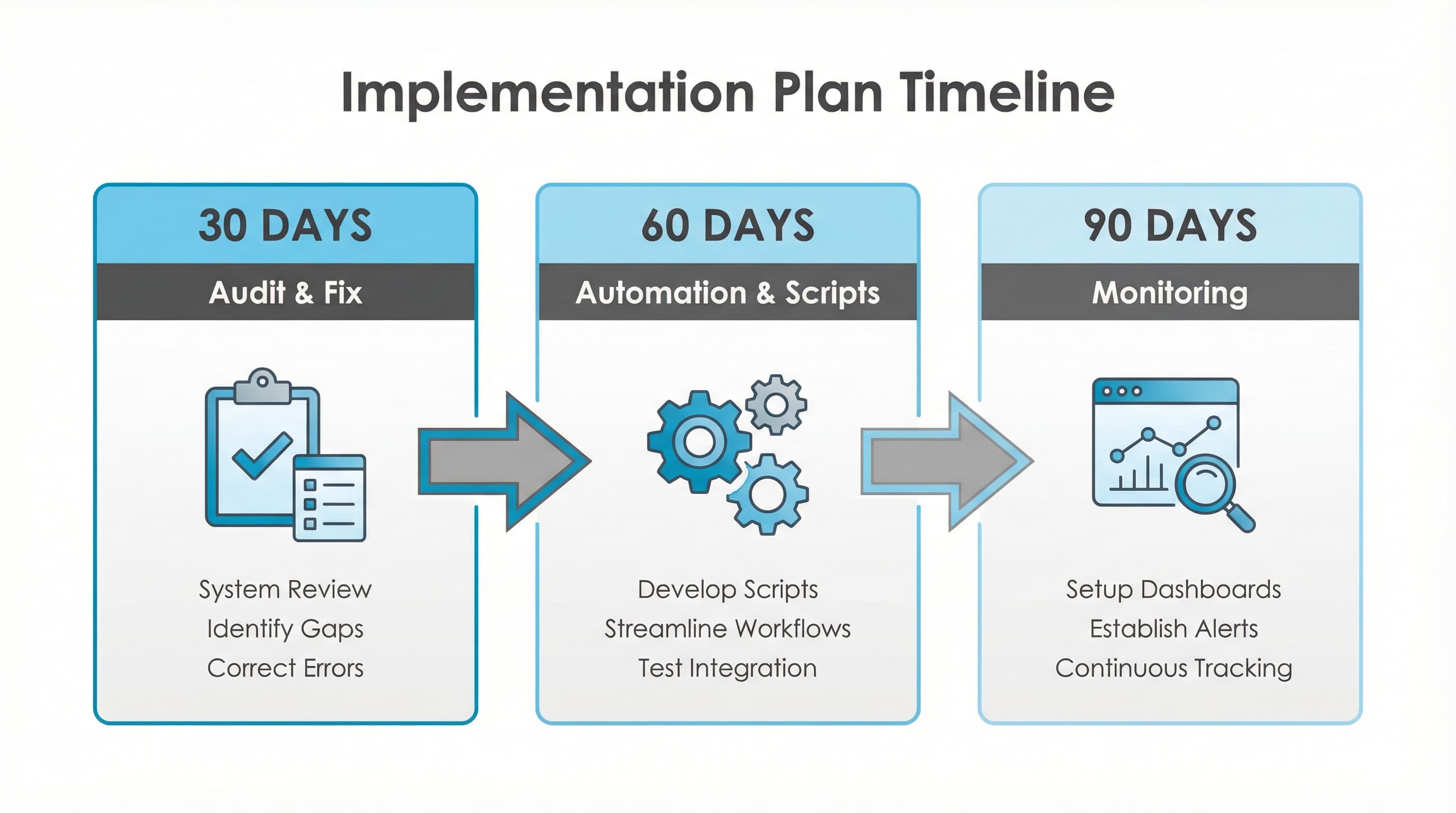
90-Day Roadmap: Tasks and Priorities
Why it matters: Sequencing work avoids rework and improves sustained quality.
How to approach it: Divide into 30-day phases.
- Phase 1 (Days 0 to 30): Audit and correct top SKUs, adjust export and validation rules. Prioritize mandatory fields from the Google specification.
- Phase 2 (Days 30 to 60): Deploy standard metafields in Shopify and automated validation scripts.
- Phase 3 (Days 60 to 90): Integrate alerts into dashboard, document processes, and establish monthly reviews.
Operational Example: Week 1 map top 500 SKUs, week 5 deploy scripts, week 9 review KPIs and adjust priorities.
Typical Error: Trying to correct the entire catalog without prioritizing by impact.
Quick Control Checklist
- Confirm that the top 80% of products by sales have correct GTIN, brand, and MPN.
- Verify consistency of color and size at the variant level.
- Validate
google_product_category and product_type in metafields.
- Check price and availability formats.
- Configure daily Merchant Center alerts.
Automation and Catalog Quality
Managing the attribute granularity required by Google Shopping (GTINs, variant metafields, specific categorization) often leads to manual errors and constant rejections in Merchant Center.
ButterflAI detects discrepancies in your catalog, automatically standardizes attributes, and ensures your Shopify variant information meets technical feed requirements before it affects your campaigns.
Sources