
Catalog & Data Management
Google Shopping Feed Optimization: The QA Scorecard
A practical QA scorecard and weekly workflow to prevent Merchant Center disapprovals, optimize your product data, and scale catalog growth.
Mar 4, 2026
Read More
Optimize your Pinterest feed with a field-by-field checklist and automated QA workflow. Scale Shoppable Pins and Pinterest Catalog Ads without the manual chaos.
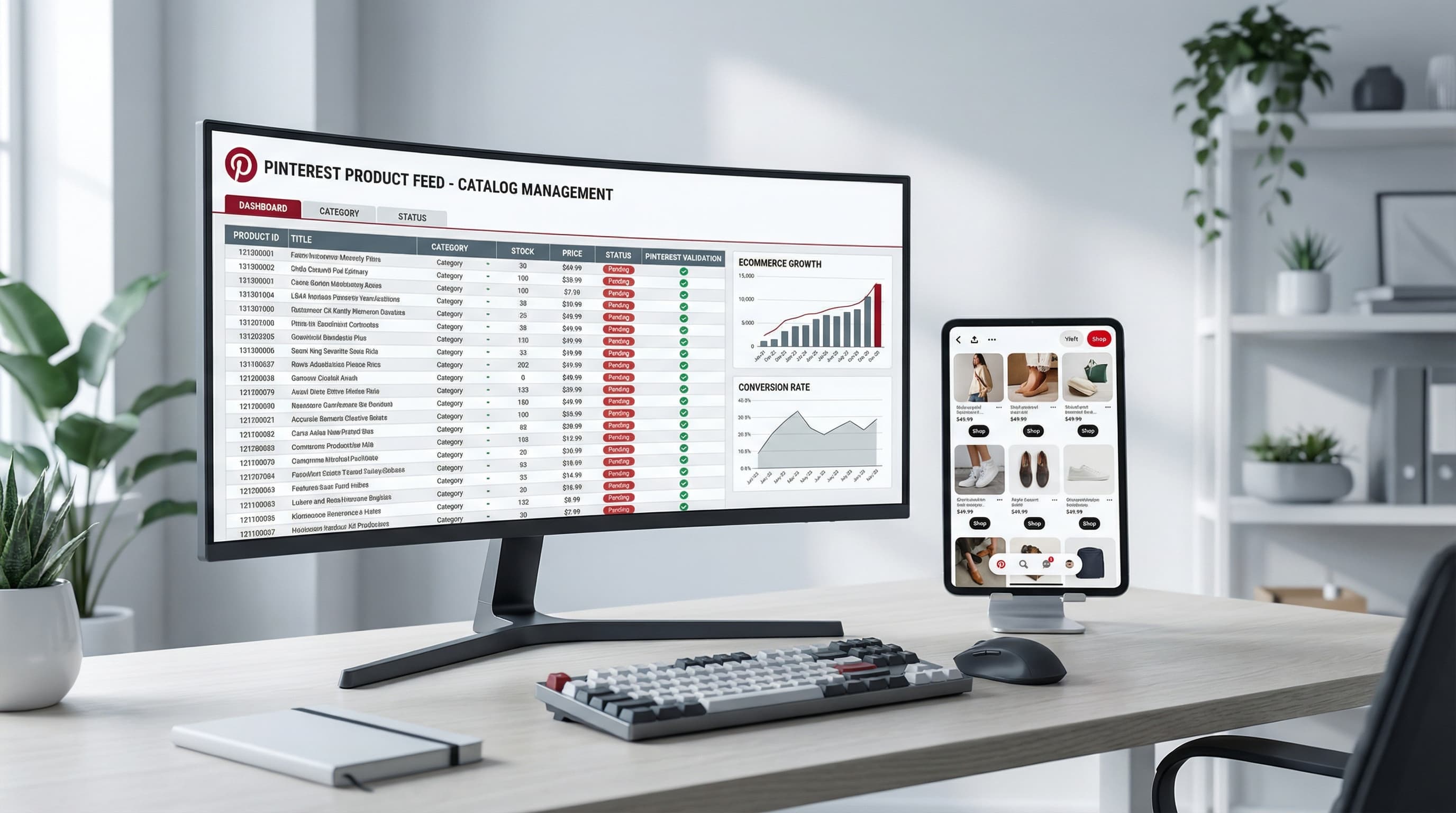
Pinterest feed quality determines whether your products become shoppable moments or invisible inventory. As a visual discovery engine and a high-intent shopping channel, Pinterest relies on the product feed—the structured data layer that converts your product pages into Shoppable Pins and catalog ads. When feed fields are missing or inconsistent, products can be rejected during ingestion or receive poor matching, which ultimately lowers your reach and Return on Ad Spend (ROAS).
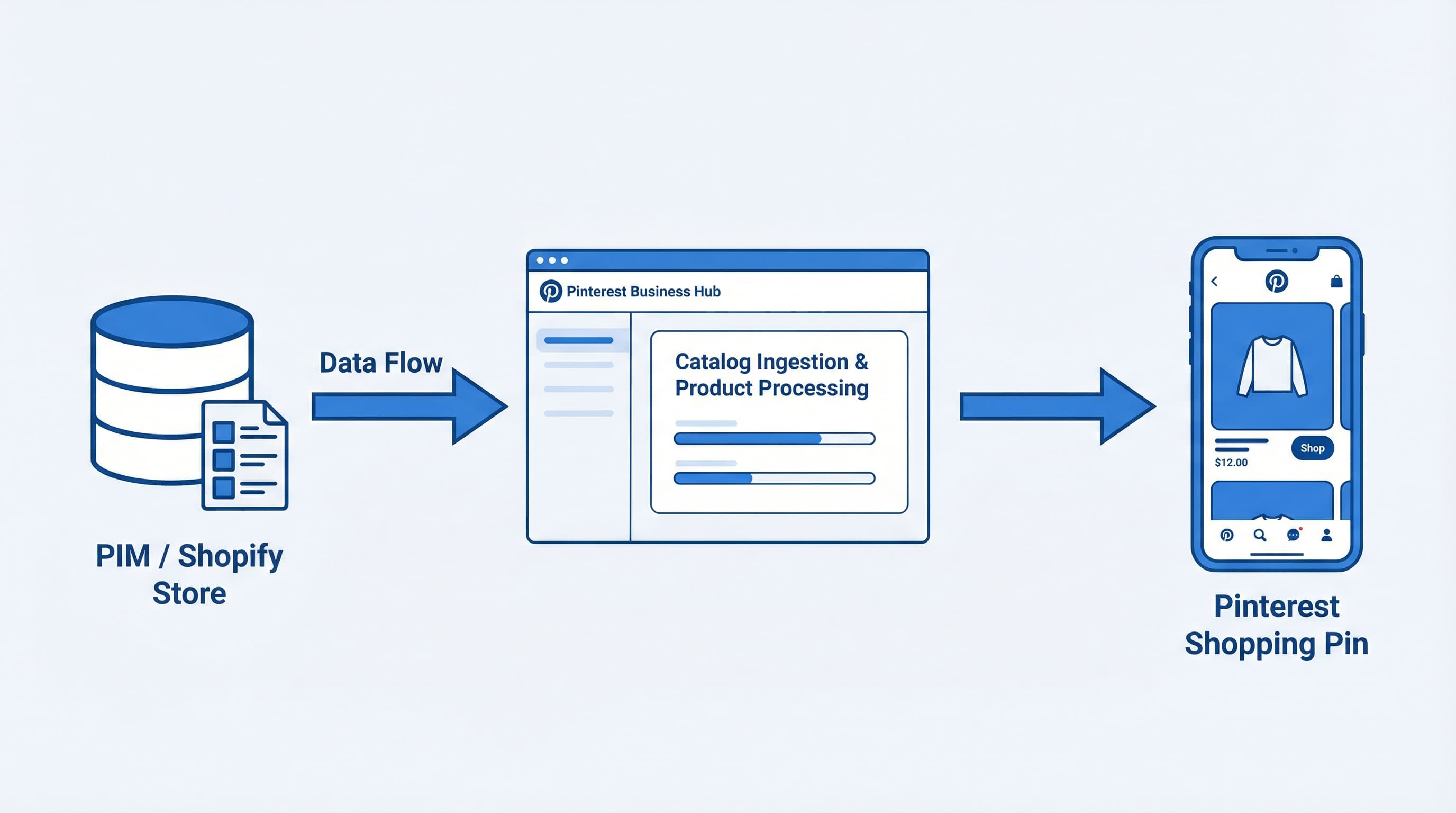
A feed file or API sync populates the Pinterest catalog in the Business Hub. The Pinterest catalog acts as a container for product data used to generate product Pins and Shopping Ads. The Business Hub is the interface where you review ingestion errors and set catalog rules. Additionally, the Verified Merchant Program is the merchant verification layer that requires domain verification and correct tag events to unlock the Shop tab and merchant trust signals.
Titles and images are crucial, but so are unique IDs, accurate availability and pricing, Global Trade Item Number (GTIN) or Manufacturer Part Number (MPN), and clean landing page URLs.
If you use a PIM, you must map canonical attributes to feed fields to prevent mismatches. A PIM (Product Information Management) is a central system that stores product attributes and ensures consistency across sales channels. Similarly, Shopify metafields—which are custom fields on product records used to store extra attributes—are essential for enriching feeds when native fields fall short.
id, title, description, link, image_link, price, and availability are present for every SKU.Automate schema validation, schedule a visual sample of new SKUs, monitor catalog coverage daily, and log ingestion errors into your ticketing system. This shifts your team's work from reactive compliance to ongoing optimization, improving the predictability of ad performance. A common error to avoid is having inconsistent IDs between your feed and your site, causing a mismatched product state and campaign removal.
Pinterest product feed quality is the difference between listings that are rejected and listings that convert. This section details the absolute minimum fields for ingestion and the higher-impact fields that help the algorithm match user intent for Shopping Pins and Pinterest Catalog Ads.
Minimum fields enable a catalog to be ingested and shown to users. You must include id, title, description, link, image_link, price, and availability using consistent formatting.
id field to avoid duplicates.title concise and the description informative for matching.price and availability must perfectly match the landing page to prevent disapprovals.For catalog management workflows, these fields are the baseline for any shopping ads or Shoppable Pin strategy.
Example Setup:
id: parent_sku_colortitle: Running shoes lightweightdescription: Breathable running shoes for daily use.link: https://store.com/productimage_link: https://cdn.com/img.jpgprice: 79.90 USDavailability: in stockError Tip: A common failure is a URL mismatch between the feed link and the landing page, which immediately triggers disapproval.
Ranking fields help Pinterest understand product intent and quality signals, improving match rates for relevant searches. Prioritize brand, GTIN, MPN, product_type, google_product_category, and additional_image_link.
As mentioned, GTIN helps exact matching across retailers, while a PIM centralizes these attributes. Shopify metafields help enrich feeds when you need to push channel-specific data. These fields improve your chances in performance marketing programs and reduce manual work for content operations teams.
Example Setup:
Add GTIN (e.g., 0123456789012), brand (e.g., Acme), and product_type (e.g., footwear > running) to improve categorization.
Error Tip: Inconsistent GTINs or wrong categories drastically reduce reach and prevent product matching.
Feed failures often come from missing GTINs, URL mismatches, variant confusion (where variants share an identical ID), and price or currency mismatches. Program a weekly automated audit to catch these errors before they affect coverage.
Weekly Audit Steps:
Actionable fix: Append an option code to your variant ID to avoid overwrites. Manual checks do not scale for catalogs over a few thousand SKUs.
Optimizing a Pinterest product feed requires field-level precision to prevent ingestion failures and improve coverage for Shopping Pins. This checklist focuses on titles, descriptions, and images, giving concrete, repeatable rules you can embed in an automated QA workflow.
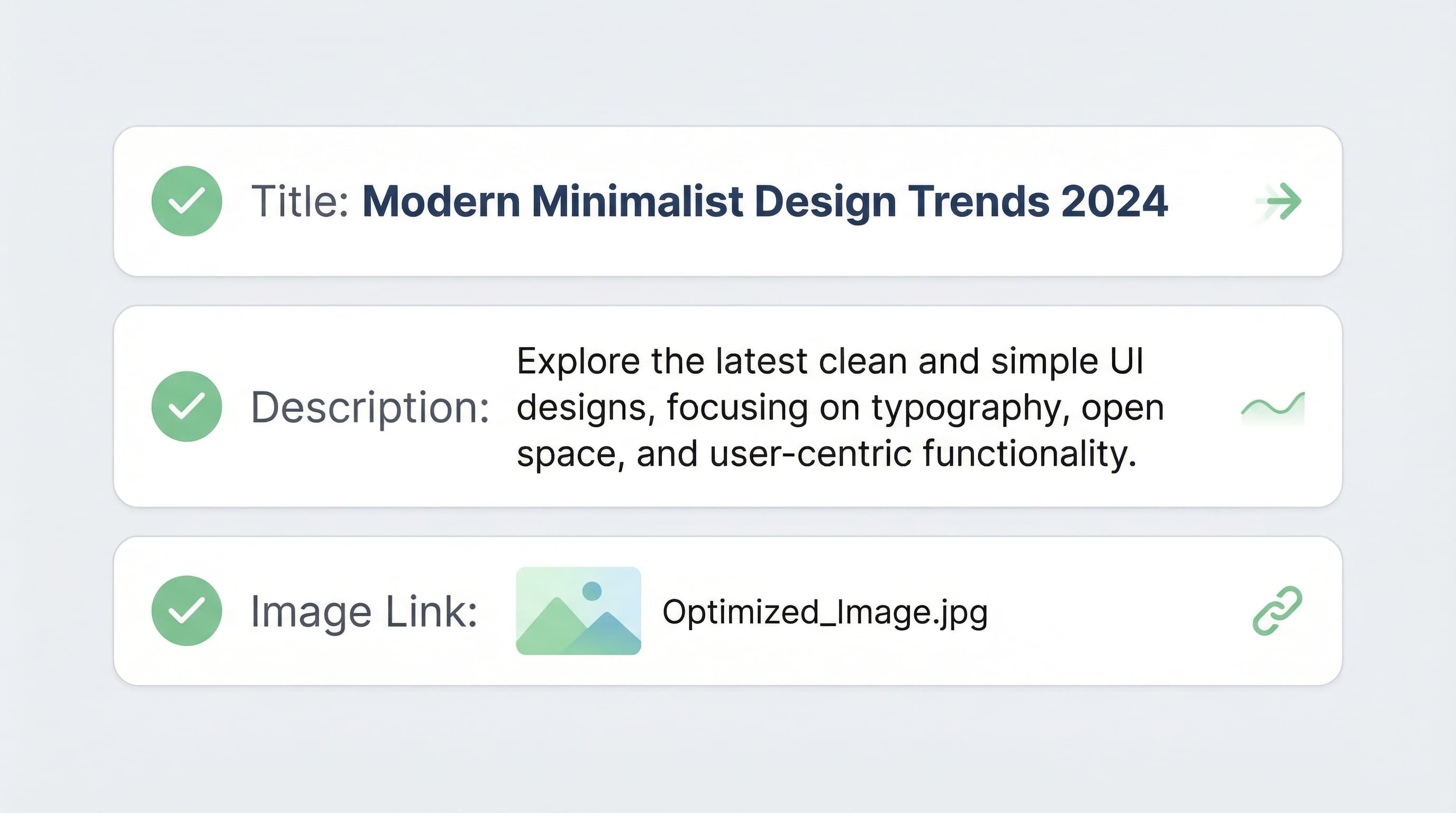
Why this matters: A concise, consistent title helps Pinterest match pins to queries and avoids duplicate listings.
How to approach it: Use a single, human-readable template that includes brand, model, and one primary attribute such as color or size. Include one relevant search keyword naturally and avoid long keyword stacks. For multi-variant products, keep the parent title focused on brand and model, and append variant attributes in the variant title so automated templating stays deterministic. Map category values in your PIM to maintain consistency.
Before/After Example: Before: Nike Air Zoom Pegasus 40 Running Shoe Men Blue Size 10 Best Price After: Nike Air Zoom Pegasus 40 - Men's Running Shoe - Blue / 10
Typical error: Keyword stuffing or repeating the brand across all variants, which creates duplicates and ingestion warnings.
Why this matters: Descriptions give product context for discovery and help Pinterest classify attributes used by dynamic ads.
How to approach it: Start with one benefit line, then list attributes in a predictable order such as material, size, fit, and compatibility. Keep a canonical parent-level description and add variant-specific lines for size or finish. Use a controlled vocabulary that matches your PIM or Shopify metafields so automated mapping remains accurate.
Formatting Example: Benefit: Lightweight cushioning for daily runs. Attributes: Breathable mesh upper. Water-resistant finish. Variant specifics: Available in sizes 7 to 13.
Typical error: Using inconsistent attribute names across variants (e.g., 'Navy' vs. 'Dark Blue'), which breaks mapping and reduces coverage.
Why this matters: Image quality and composition determine feed acceptance and influence engagement for organic and paid placements.
How to approach it: Provide a primary packshot on a neutral background, plus at least one lifestyle image for intent signals. Prefer square or vertical crops with a minimum of 600x600 pixels, aiming for 1000x1000 where possible to support zoom and crop testing. Use HTTPS image URLs and avoid overlaid badges or promotional text on the primary image. Include additional image links to support dynamic catalog renderings. Run automated checks for resolution and MIME type.
Composition Example:
Typical error: Low-resolution images or primary images cluttered with logos and promotional text that trigger policy flags.
Pinterest feed filtering depends on structured attributes beyond title and image to surface products in shopping results. This section explains how to align product_type and category with the Pinterest feed engine and when to map optional enrichments automatically.
Context: Accurate taxonomy increases matching between user filters and catalog items.
Approach: Use a two-level mapping where google_product_category supplies a standardized taxonomy and product_type holds your internal category path for merchandising. Automate mapping with a lookup table that maps SKU or vendor to Google category IDs, and normalize values with simple casing and delimiter rules. Validate your mapping against official Pinterest feed documentation to avoid ingestion errors.
Naming Convention Example:
google_product_category: Apparel & Accessories > Clothing > Shirtsproduct_type: Mens > Shirts > T-ShirtsCommon error: Using vague product_type values (like 'Sale' or 'New') that break filter granularity.
Context: These attributes power user filters and improve ad relevance for Shopping ads.
Approach: Derive color and material from variant attributes in your PIM or from normalized title fields. Map size and gender at the variant level and use standard values for age_group. Automate with rule priority and fallbacks: variant attribute first, shop metafield second, fallback to NLP mapping.
Value Normalization Example: Map a variant color of 'Midnight Navy' to the standard color field value 'Navy', and size 'US 10' to the size field '10'.
Common error: Allowing free-text color variations in the feed, creating hundreds of unique, unfilterable values.
Transitioning from manual updates to a scheduled, automated weekly audit reduces feed failures and shortens the time to detect and fix ingestion errors. This section gives a practical blueprint: a composite QA score for coverage and freshness, a segment-based testing cadence, and governance rules to safeguard large catalog changes.

Why this matters: A single score surfaces catalog drift and helps teams prioritize fixes instead of chasing noise. How to build it: Create a composite score that weights three dimensions: coverage percentage for required fields, freshness (days since last update), and validation errors (parsing failures or invalid formats).
Scoring Example:
image_link or with an invalid price reduces the subscore and triggers an alert.Common error: Treating optional attributes as equally urgent as required fields.
Why this matters: Top sellers and high-impression categories move business metrics faster than the long tail. How to run it: Define segments by revenue velocity, impressions, margin, and return rate. Run weekly ingestion tests on a sample from each segment and compare ingestion success rates.
Testing Cadence Example: Start with top 200 sellers, expand to 500 mid-tail, and run a rolling sample of 300 long-tail products.
Common error: Delaying long-tail audits until issues scale uncontrollably.
Why this matters: Bulk updates without gates can scale mistakes quickly and break feeds across channels. How to set rules: Implement immutable change logs, approval rules for price, availability, GTIN, and title templates, and set automated rollback triggers on mass ingestion failures. Limit automated batches to small percentages, require dry runs, and mandate peer approvals.
Business Rule Example: Require two approvers for bulk price changes and allow automated image URL normalization up to only 5% of the catalog per run.
Pinterest product feeds fail most often for three reasons: data quality, crawling issues, and policy flags. This playbook helps triage which layer is failing and provides field-by-field fixes to restore Shopping Pins and Pinterest Catalog Ads. Always start by checking feed status in the Business Hub and keep your PIM or Shopify store as the single source of truth.
Quick triage reduces reuploads and lost coverage. Open the Business Hub and review the feed status and item-level errors.
Use the ingestion log and feed timestamp to decide if the source feed failed or the crawler failed.
Accurate fields are required for matching and bidding. Run a field-by-field QA that compares feed values to your PIM or Shopify source of truth. Ensure currency and price format match perfectly and that GTIN values are valid against external registries.
Fixing Workflow: Use a script that flags price mismatches between the feed and the storefront before generation. Typical error: Leaving placeholder text in the title, description, or image alt attributes.
Crawlers need stable, reachable assets. Host product images on a CDN, use HTTPS, and avoid expiring tokens. Reduce redirect chains and ensure image URLs return HTTP 200 and the correct content type. Use bulk URL checks and monitor response times to catch intermittent 403 or 404 errors.
Fixing Workflow: Run a weekly URL health check and automatically re-upload failing images. Typical error: Image URLs returning a 403 Forbidden error due to token expiry or temporary redirects.
Policy flags remove items from ads entirely. Map your categories to the Pinterest taxonomy and remove restricted claims or categories before reupload. Review Pinterest policy pages and exclude banned items to avoid automated removals.
Fixing Workflow: Filter the feed by category and exclude banned products programmatically before ingestion. Typical error: Reuploading the same feed without addressing flagged content.
Maintaining an optimized, error-free Pinterest product feed is a continuous operational challenge. From standardizing naming conventions and resolving attribute mismatches to catching 404 image links before ingestion, manual QA simply does not scale for large catalogs.
ButterflAI automatically structures, validates, and optimizes your eCommerce catalog data before it ever hits Pinterest. By connecting directly to your Shopify store or PIM, ButterflAI generates highly optimized titles, maps custom metafields to exact Pinterest taxonomies, and normalizes messy data (like colors and sizes) without requiring endless spreadsheet formulas. Instead of reacting to Business Hub ingestion errors, you can deploy a reliable, high-converting product feed that maximizes your reach on Shopping Pins and Catalog Ads.
Quick answers to common questions.
A practical QA scorecard and weekly workflow to prevent Merchant Center disapprovals, optimize your product data, and scale catalog growth.
Mar 4, 2026

Discover how to measure data quality in your ecommerce catalog using the 6 core dimensions, channel-specific scorecards, and continuous remediation loops.
Feb 26, 2026

Stop guessing with basic Etsy SEO tips. Map your catalog data to Etsy attributes, automate descriptions, and scale your listing optimization strategy systematically.
Feb 25, 2026
