
Catalog & Data Management
Google Shopping Feed Optimization: The QA Scorecard
A practical QA scorecard and weekly workflow to prevent Merchant Center disapprovals, optimize your product data, and scale catalog growth.
Mar 4, 2026
Read More
A step-by-step runbook to identify policy violations, fix price mismatches, and appeal your suspended Google Shopping account successfully.
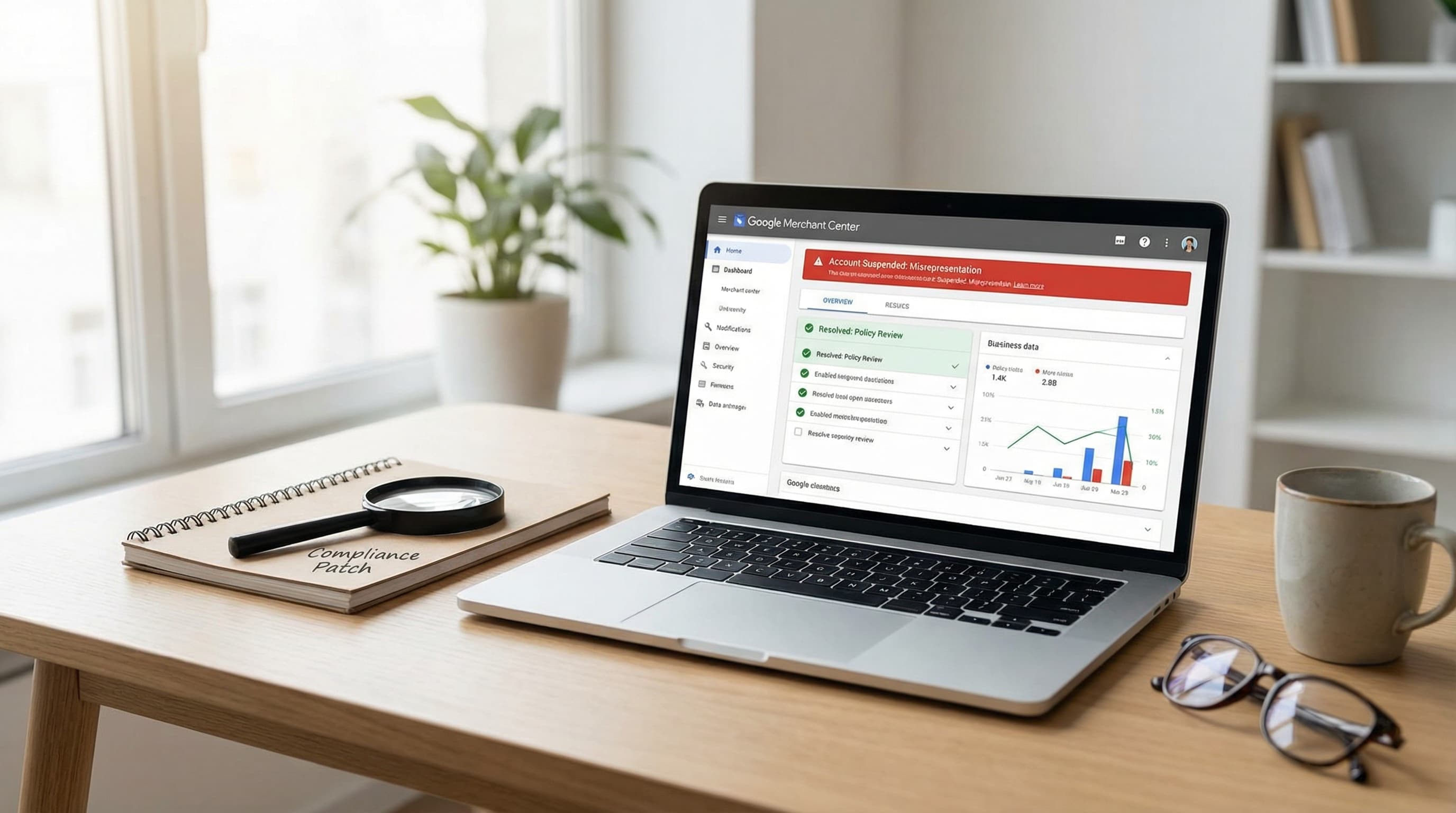
When a Google Merchant Center misrepresentation issue leads to an account suspension, eCommerce teams must treat it like an incident. The Diagnostics tab in your Merchant Center account is the first place to look. It shows whether the enforcement is at the account level or the item level, dictating exactly where your remediation efforts should focus to implement a quick google merchant center misrepresentation fix.
TL;DR: Use the Diagnostics dashboard first, then run a feed-to-landing-page-to-checkout triage to isolate the exact mismatch.
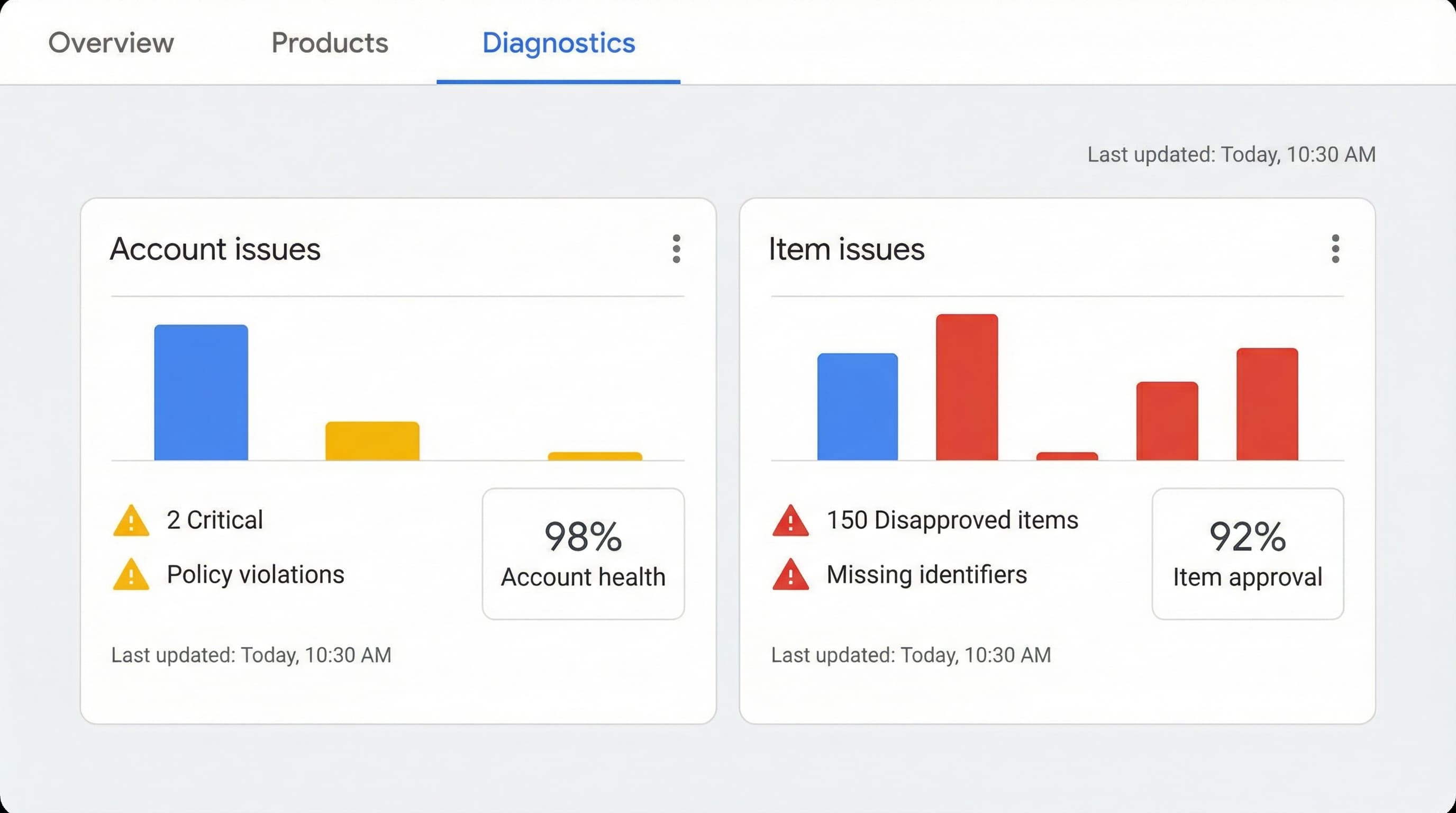
Why this matters: the fix path completely differs. Account-level misrepresentation points to overarching policy compliance failures or trust signal gaps affecting your entire catalog. Item-level disapprovals usually indicate localized data quality problems on specific products, such as broken landing pages, isolated price mismatches, or incorrect availability statuses.
Ensure your team understands these catalog core components:
Example Brief: A product shows a price of $29.00 in the feed, but checkout adds local tax totaling $35.00. Fix this by updating the feed tax settings to include tax and correcting the structured data schema on the landing page.
Common Mistake: Teams update the feed but forget to adjust the checkout logic or the on-page schema, causing repeated rejections.
After deploying fixes, request a manual review in Merchant Center and add monitoring that alerts your team on feed versus site price drift.
Account-level Google Merchant Center misrepresentation suspensions almost always stem from unclear business identity and missing trust signals. Isolate the trust gaps, ship a compliance patch to your storefront, and add monitoring so the problem does not return.
Manual reviewers check that the merchant identity registered on the Merchant Center account matches what a shopper sees on the storefront. If there is a disconnect between your legal entity, domain, and contact pages, you will trigger a merchant center policy violation.
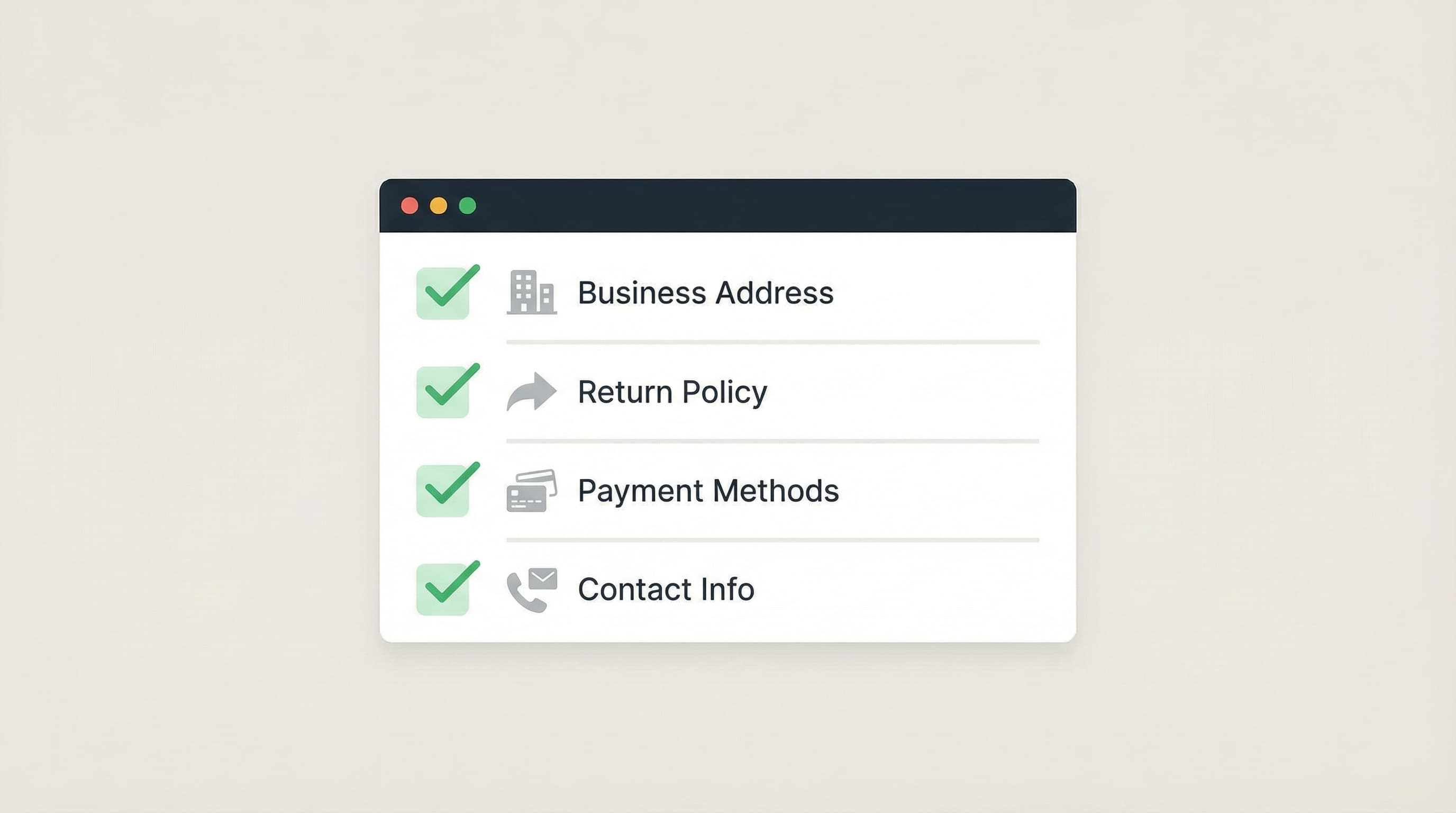
This is a high-priority step because manual reviewers use contact data to validate seller legitimacy.
Update the storefront footer, contact page, and Merchant Center business settings so the legal name, physical address, phone number, and support email match exactly. If you operate using a trade name alongside a different legal entity name, provide both.
Example: Add a footer link pointing to a page featuring a named support contact, a response time SLA, and your official business registration number.
Common Error: Leaving different company names between checkout invoice templates and the Merchant Center business profile.
Clear policies reduce friction during manual reviews and expedite the appeal process.
Publish a dedicated returns page that lists the exact returns window, approved refund methods, and steps required to request an RMA. Link this page in the footer and directly near the "Add to Cart" button. Add structured data on product availability and return policy. This structured data is a machine-readable annotation helping Google understand your page.
Example: Add a returns page with step-by-step procedures, return shipping cost responsibilities, and processing timelines.
Common Error: Hiding critical policy content behind an account login wall or within a massive Terms of Service document.
Payment signals prove to Google that your checkout is fully functional and secure.
Show payment logos, list supported cards, and mention your payment processor alongside basic security measures. Confirm the same payment methods appear in the actual checkout flow and in feed attributes.
Example: Show dynamic card logos on product pages and in the footer with a short note stating "Secure payment processing powered by Stripe."
Common Error: Showing generic payment badges in the footer that link to 404 errors.
Reviewers heavily compare Merchant Center settings, storefront pages, and product feed values. Make sure your appeal lists the exact changes made and links directly to updated policy pages.
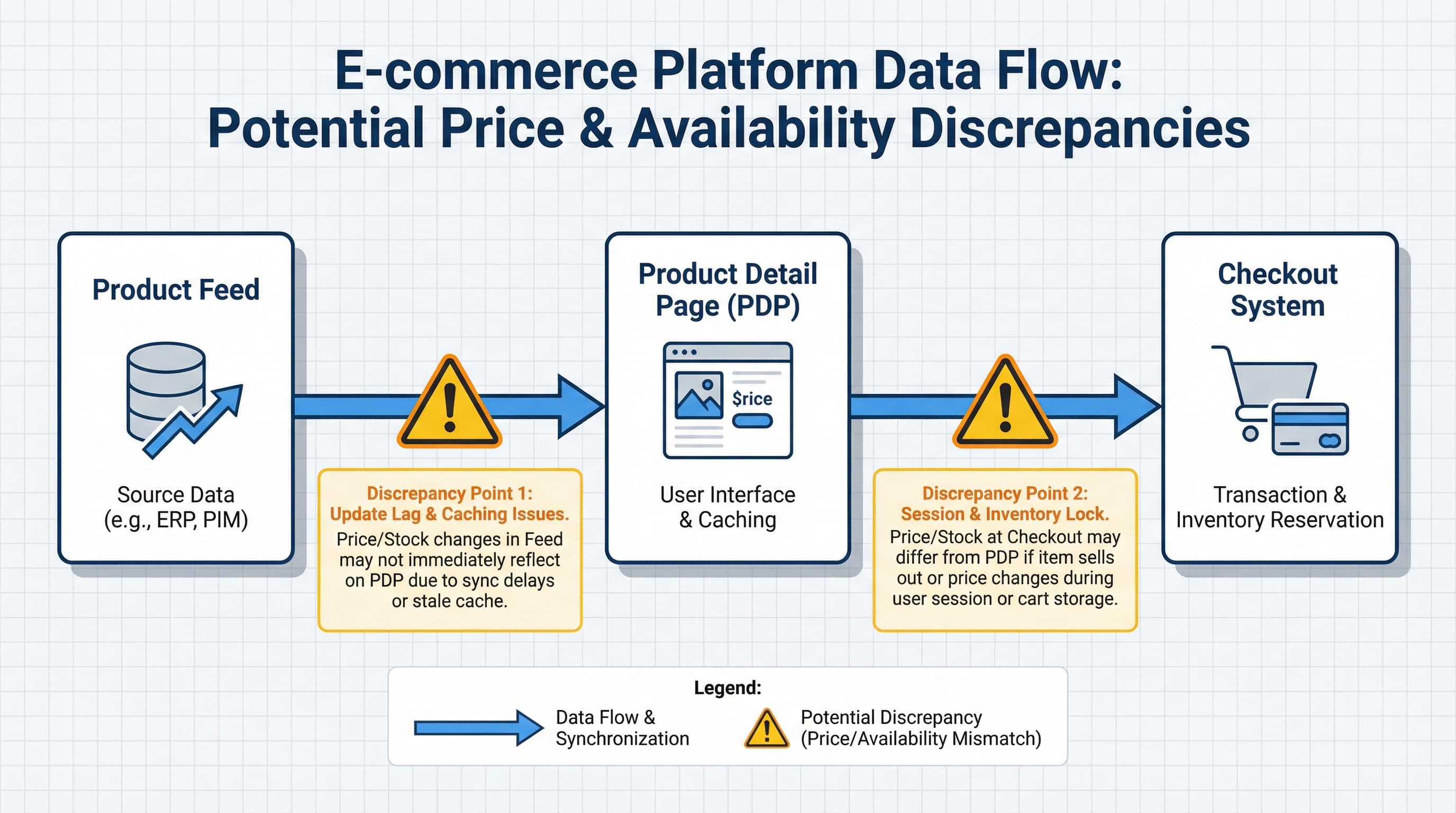
Start with a fast triage to confirm that your google shopping account suspended status stems from price or availability drift. Check a single SKU across your product feed, product detail page (PDP), and checkout flow using the exact same country and currency that Google crawlers use.
A mismatch between the feed and the live site triggers automated misrepresentation. A feed is the file Google reads, PIM centralizes product data, and Shopify metafields are custom attributes for variants. Each requires monitoring.
Export a feed snapshot, open the PDP in a clean browser, select the target country and currency, and proceed to the checkout summary. Record the visible final price on the PDP and the checkout total with timestamps.
Example: The feed price is $79.00, the PDP shows $79.00, but checkout silently adds a $5.00 mandatory shipping fee. Typical Error: Assuming it is a feed generation error without checking the final shipping calculation.
Feed, PDP, and checkout are separate truth sources. Check the feed's last update timestamp, inspect the PDP pricing element, and collect checkout totals specifically for the buyer's simulated location.
Auto-repricing tools and checkout-only coupons cause silent drift. Review repricer logs and promotion engine rules. If discounts require a coupon at checkout, update the PDP to clearly show the promotional price rules or use a dedicated promotions feed.
Typical Error: Leaving promotion logic strictly inside checkout where Google's product crawler cannot execute it.
A compliance patch removes the mismatch while a permanent fix is built. Freeze feed pushes for flagged SKUs, manually update the feed to match the PDP, or temporarily update the PDP to show the feed price prominently. After patching, run a local crawl, collect evidence, and prepare a concise appeal.
| Symptom | Likely Cause | Quick Fix |
|---|---|---|
| Price differs at checkout only | Shipping or regional tax added late in the flow | Show a dynamic shipping estimator on the PDP and include precise shipping rules in the feed |
| Discount in feed but not on PDP | Promotion sync issue between CMS and feed | Sync promotion thresholds actively and use the Google promotion feed format |
| Price varies by region | Global feed price clashing with site localization | Use localized supplemental feeds or configure distinct feeds per target country |
When Google flags a misrepresentation issue, another common root cause is inconsistent product data between your submitted feed and storefront. Focus on GTINs, brand fields, condition fields, and variant image mismatches.
Why it matters: GTINs are a primary trust signal Google uses to verify product identity and match offers against manufacturer databases. How to approach: Export your feed and compare the GTIN column against official manufacturer records. Use the "identifier exists" attribute and set it to false only when absolutely no genuine GTIN applies. Correct the values at the source in your PIM or Shopify metafields. Example: A product with manufacturer SKU '12345' should strictly have its official GTIN '00012345600012' and the brand set to 'Acme'. Typical error: Using bulk import tools that insert placeholder GTINs across hundreds of distinct SKUs.
Why it matters: Brand and condition strictly affect listing eligibility and overall trust signals. How to approach: Map canonical brand and condition fields natively in your PIM and ensure the feed generator reads those exact values. Confirm that spelling and capitalization match your product pages. Example: Brand must equal 'Acme', Condition must equal 'new'. Typical error: Listing 'OEM' or 'Generic' as the brand for refurbished branded units.
Why it matters: Images must accurately represent the selected variant to avoid misleading shoppers. How to approach: Automate an image URL audit comparing feed image URLs with live storefront URLs, and check alt text for variant labels. Ensure there is at least one distinct image per variant. Example: The image URL explicitly ends with 'blue-shirt-variant-id-1001.jpg'. Typical error: The feed image shows a red shirt, but the selected variant is clearly labeled as blue.
Why it matters: JSON-LD product schema helps Google's automated crawlers instantly validate price, availability, SKU, and condition. How to approach: Add valid JSON-LD Schema.org Product reference markup on all product pages, keeping values identical to the feed output.
When your account is suspended, the google merchant center appeal is where you objectively demonstrate that you have fixed the root cause and implemented guardrails. Treat this appeal exactly as an engineering incident report.
Gather concrete evidence showing the mismatch was resolved across the feed, site, and storewide policies, then submit a highly focused appeal featuring before-and-after screenshots with exact timestamps. Since the product feed is the structured file serving as the source of truth for Google listings, proving your feed logic is corrected is critical.
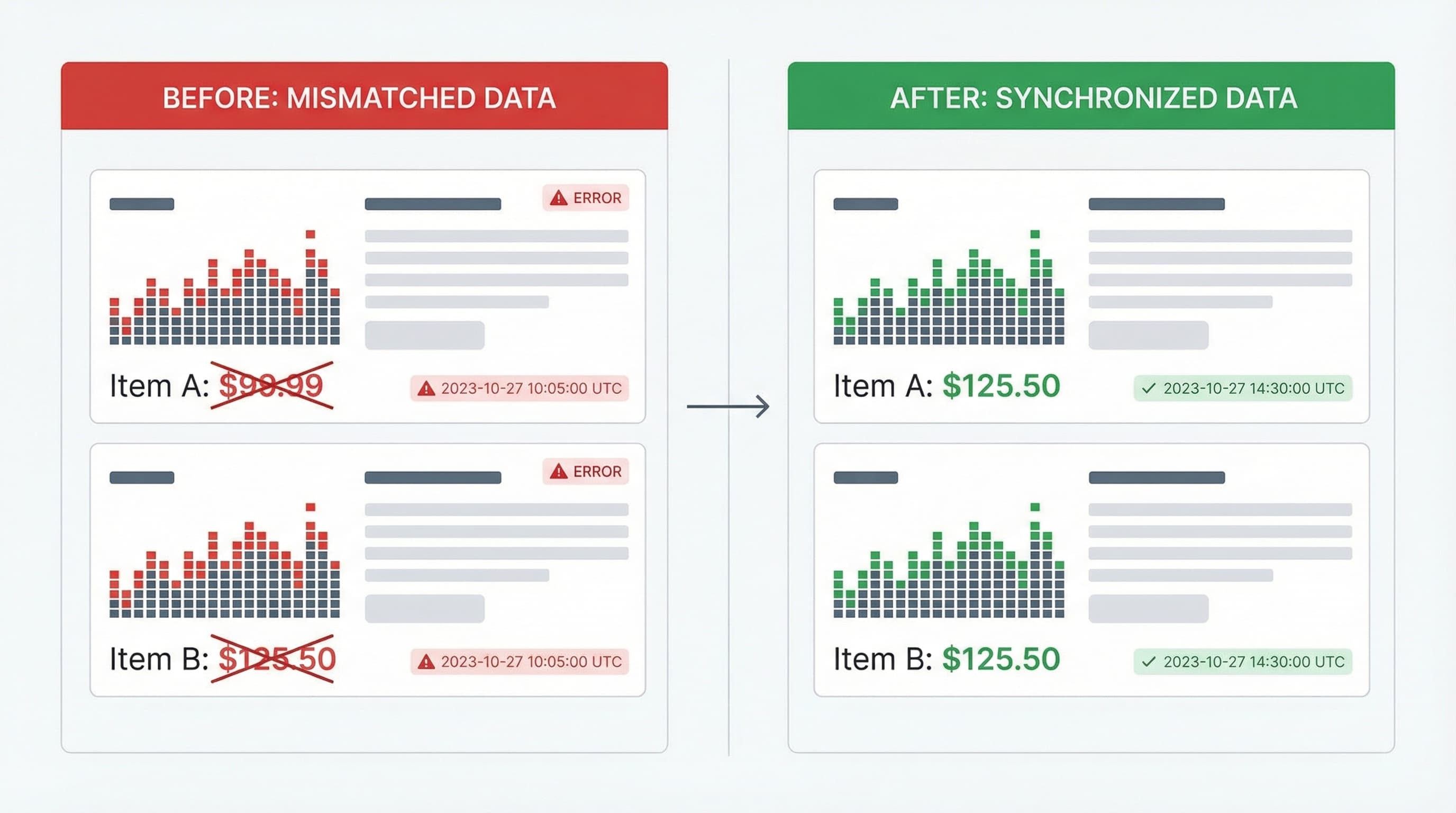
Why this matters: Google reviewers operate under strict time constraints; they need a clear visual timeline that proves the issue is resolved. Approach: Use the exact same device type and viewport size for both screenshots. Ensure the product ID is visible, and the pricing element is clearly highlighted. Example: The 'before' screenshot shows a site price of $49.99 and a feed price of $44.99. The 'after' screenshot shows both strictly at $49.99, accompanied by a feed update timestamp. Typical error: Submitting screenshots that are tightly cropped, hiding the page URL, or lacking a timestamp.
Why this matters: Concise, factual, and heavily documented appeals get reviewed significantly faster. Approach: Start immediately with your account ID and the exact suspension reason. List the root cause, the corrective technical actions taken, and attach evidence. Example Structure:
Submit your structured appeal directly from the Merchant Center account issues panel.
This section outlines how to stop Google Merchant Center misrepresentation from ever recurring by applying strict catalog governance, weekly QA audits, automated price drift alerts, and a straightforward post-mortem process.
A single undetected mismatch between your feed and a landing page can cause a cascading suspension. You must own your authoritative sources of truth and actively monitor for divergence across the feed, website, and PIM.
Why it matters: Running a compact check every week validates that title, price, availability, and landing page content remain aligned with the feed. How to run it: Automate a feed CSV export and programmatically crawl 100 sample product pages every Monday morning following the nightly feed synchronization. Compare fields using a script or dedicated feed tool. Prioritize currency, shipping, and availability. Example: The script validates that the feed price of $49.99 exactly matches the parsed DOM price of $49.99, and the currency is USD. Typical error: Relying strictly on random sampling and ignoring complex regional price variants.
Why it matters: Silent price drift is a common trigger for automated misrepresentation suspensions and must be detected within hours.
How to set it up: Build a lightweight observability check that continuously compares the feed price against the live page price, triggering on a delta threshold of 1 percent. Route the alert via a Slack webhook and create a high-priority ticket. The payload must include the product ID, both divergent values, and a direct link.
Example Alert Payload: [URGENT] Product ID: 12345 | Feed Price: $49.99 | Live Page Price: $54.99 | Threshold Exceeded
Typical error: Creating noisy alerts that trigger on fractional rounding errors.
Why it matters: Recording the exact root cause and permanent corrective actions ensures that the same bug does not return during the next site redesign.
For more community context, consult the Google Merchant Center policy thread.
Keeping your product feed, dynamic storefront, and backend PIM in perfect sync is the only sustainable way to prevent a google shopping account suspended status. Manual QA and reactive patching inevitably fail as your catalog scales and promotional complexity increases.
ButterflAI systematically detects price and availability drift, audits structured schema data, and enforces strict catalog compliance automatically before your products are flagged by Google. By acting as an intelligent governance layer between your commerce platform and marketing channels, ButterflAI ensures your trust signals, identifiers, and variant data remain completely accurate and policy-compliant around the clock.
Quick answers to common questions.
A practical QA scorecard and weekly workflow to prevent Merchant Center disapprovals, optimize your product data, and scale catalog growth.
Mar 4, 2026
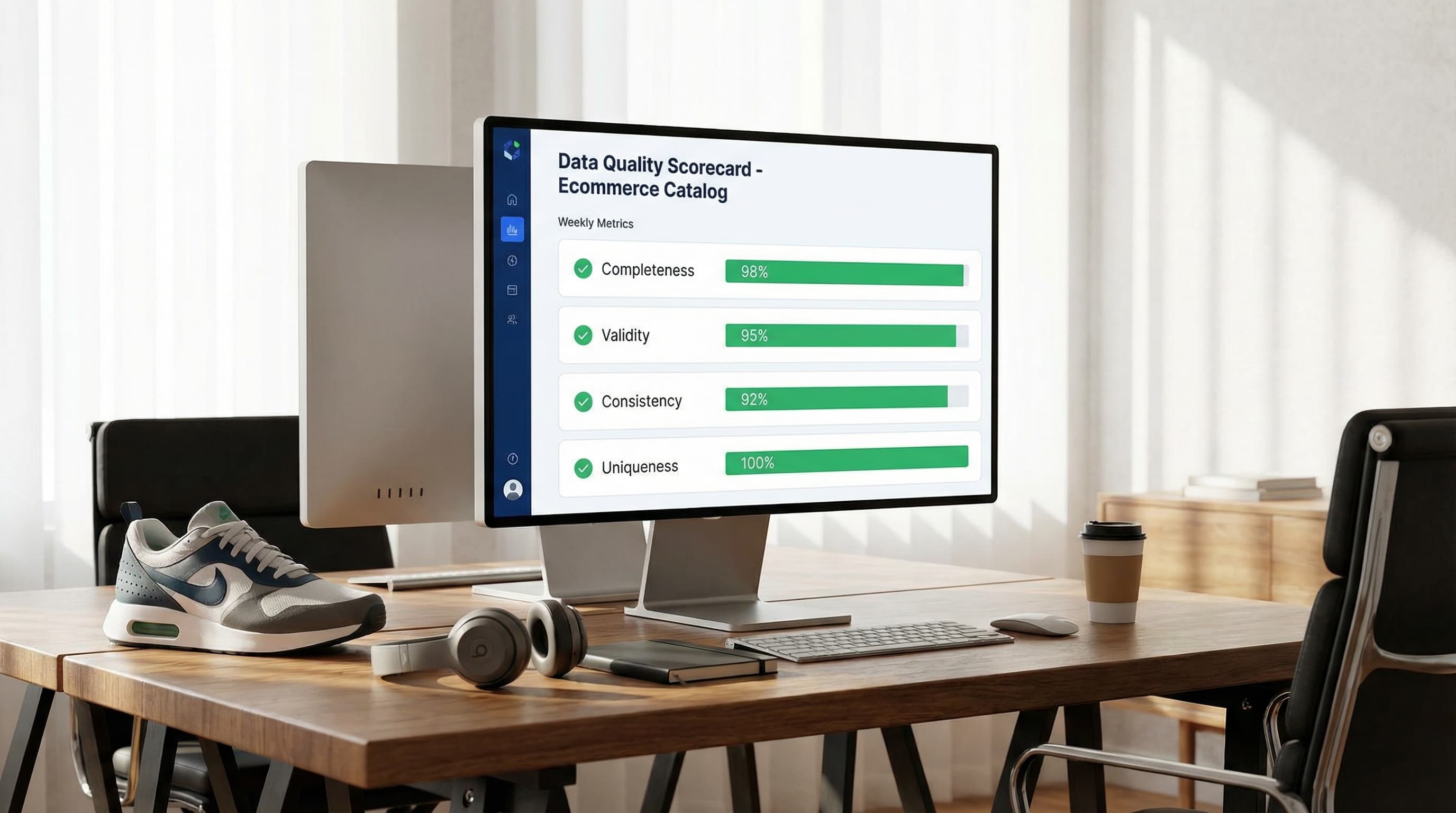
Discover how to measure data quality in your ecommerce catalog using the 6 core dimensions, channel-specific scorecards, and continuous remediation loops.
Feb 26, 2026

Stop guessing with basic Etsy SEO tips. Map your catalog data to Etsy attributes, automate descriptions, and scale your listing optimization strategy systematically.
Feb 25, 2026
